

A well-crafted prospecting list can streamline your sales process, enhance your targeting efforts, and ultimately drive more conversions.
This guide will walk you through everything you need to know about building a winning sales prospecting list, from understanding its purpose to implementing best practices.
What Is a Prospecting List?
A sales prospecting list serves as a strategic tool in the sales process.
It helps sales professionals identify and organize potential leads based on specific criteria such as industry, company size, job title, and location.
The primary purpose of a prospecting list is to create a structured approach to lead generation and nurturing, enabling sales teams to focus their efforts on high-potential prospects.
How a Prospecting List Functions for Successful Sales Strategies
A prospecting list provides a clear and organized way to manage and track potential leads. It allows sales teams to:
- Identify High-Value Prospects: Focus on leads that match the ideal customer profile and have a higher likelihood of conversion.
- Personalize Outreach Efforts: Tailor messages and approaches based on the specific needs and characteristics of each prospect.
- Streamline Sales Processes: Efficiently allocate resources and prioritize follow-ups, making the sales process more efficient and effective.
How To Build a Prospecting List
Create Your Buyer Persona
The first step in building a prospecting list is to create a detailed buyer persona.
A buyer persona is a semi-fictional representation of your ideal customer based on market research and real data about your existing customers.
Consider factors such as demographics, job roles, pain points, and buying behaviors.
A clear understanding of your buyer persona will help you identify and target the right prospects for your sales efforts.
Identify Lead Generation Channels
Once you have your buyer persona, identify the channels where you can find potential leads.
These channels may include social media platforms, industry events, trade shows, online forums, and professional networks like LinkedIn.
By focusing on the right channels, you can gather quality leads that match your buyer persona.
Collect New Lead Data
Gathering data on new leads is essential for building a robust prospecting list.
Use various tools and methods to collect lead information, such as lead capture forms on your website, subscription sign-ups, networking at industry events, and leveraging data about companies from third-party providers.
Ensure that the data you collect is accurate and up-to-date.
Segment Your Lead List
Segmentation is key to effective prospect list building.
Whether you gathered leads through lead generation forms, social media or email marketing, divide them into different segments based on criteria such as industry, company size, location, and buying behavior.
This allows you to tailor your outreach strategies to specific segments, increasing the relevance and impact of your sales messages.
Refine Your List
Regularly review and refine your prospecting list to maintain its effectiveness.
Remove outdated or irrelevant leads, update contact information, and re-segment your list as needed.
Refining your list ensures that your sales team is always working with the most current and targeted information.
What Information To Include In Your Prospect List
Prospecting List Template
A well-structured prospecting list template can streamline the process of organizing and managing your leads. Your template should include fields such as:
- Prospect Name
- Company Name
- Contact Information (email, phone number)
- Job Title
- Industry
- Location
- Lead Source
- Notes (additional relevant information)
Using a standardized template helps ensure consistency and makes it easier to analyze and utilize your data.
Prospecting List Examples
Technology Company Prospecting List
Prospect Name
Company Name
Contact Information
Job Title
Industry
Location
Lead Source
Notes
John Doe
Tech Innovators Inc.
john@techinn.com, (123) 456-7890
IT Manager
Software
Boston, MA
Interested in cloud computing solutions, attended recent tech webinar
Healthcare Solutions Provider Prospecting List
Prospect Name
Company Name
Contact Information
Job Title
Industry
Location
Lead Source
Notes
Jane Smith
HCare United
jane@hcunited.org, (987) 654-3210
Hospital Admin
Healthcare
New York, NY
Trade show
Looking for new patient management software, requested demo
Financial Services Firm Prospecting List
Prospect Name
Company Name
Contact Information
Job Title
Industry
Location
Lead Source
Notes
Michael Johnson
Finance Solutions LLC
michael@finances.com, (555) 123-4567
CFO
Financial Services
Chicago, IL
Business Directory
Needs assistance with financial planning services, scheduled consultation
*Information in this list is made up to show an example
Prospect List Building Best Practices
- Maintain Data Accuracy: Regularly update and verify your lead information to ensure its accuracy. Outdated or incorrect data can lead to wasted effort and missed opportunities.
- Personalize Outreach: Tailor your sales messages to the specific needs and interests of your prospects. Personalized outreach increases engagement and improves the chances of conversion.
- Track Performance: Monitor the performance of your prospecting list and make adjustments based on the results. Analyze metrics such as response rates, conversion rates, and sales pipeline progression to identify areas for improvement.
- Segment Your Leads: Segment your prospecting list based on criteria such as industry, company size, location, and buying behavior. Incorporating tools like DSAR solutions can help manage and organize your lead data more efficiently, ensuring compliance with data privacy regulations. This allows you to create targeted campaigns and improve the relevance of your outreach.
- Automate Where Possible: Use sales automation tools to streamline repetitive tasks such as follow-up emails and lead scoring. Automation saves time and ensures that no leads fall through the cracks.
Use LeadDelta to Create Sales Prospecting Lists
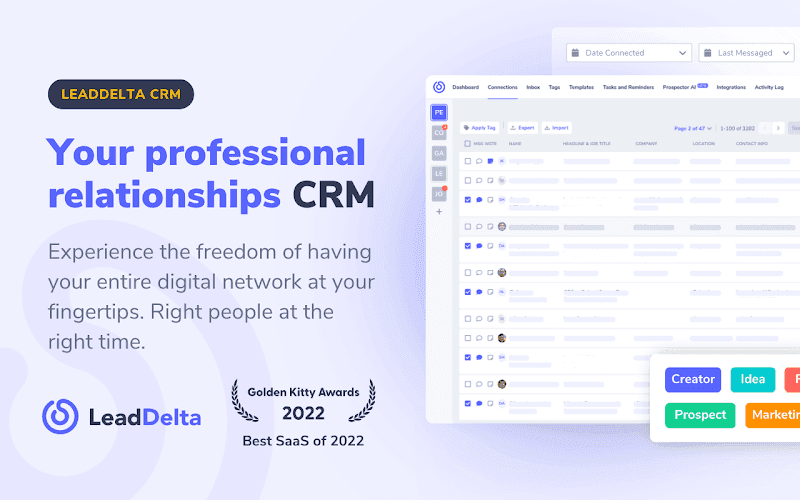
Advanced Filtering and Search Capabilities
LeadDelta offers advanced filtering and search functionalities that allow you to sift through your connections with precision. You can filter connections based on more than 15 data inputs such as:
- Industry
- Job title
- Location
- Company size
- Tags and notes you’ve added
This feature ensures that you can narrow down your connections to those who are most relevant to your prospecting efforts.
Tagging and Categorizing Contacts
With LeadDelta, you can tag and categorize your LinkedIn connections. This helps in segmenting your contacts into different groups based on your criteria. For instance:
- Hot leads
- Warm leads
- Cold leads
- Industry-specific tags
By tagging your connections, you create a more organized and easily accessible prospecting list.
Bulk Actions
LeadDelta allows you to perform bulk actions on your connections. This includes removing connections, sending messages, tagging, or exporting data. Bulk actions save time and ensure consistency in your outreach.
Step-by-Step Guide to Creating a Prospecting List with LeadDelta
Step 1: Import and Sync Your Connections
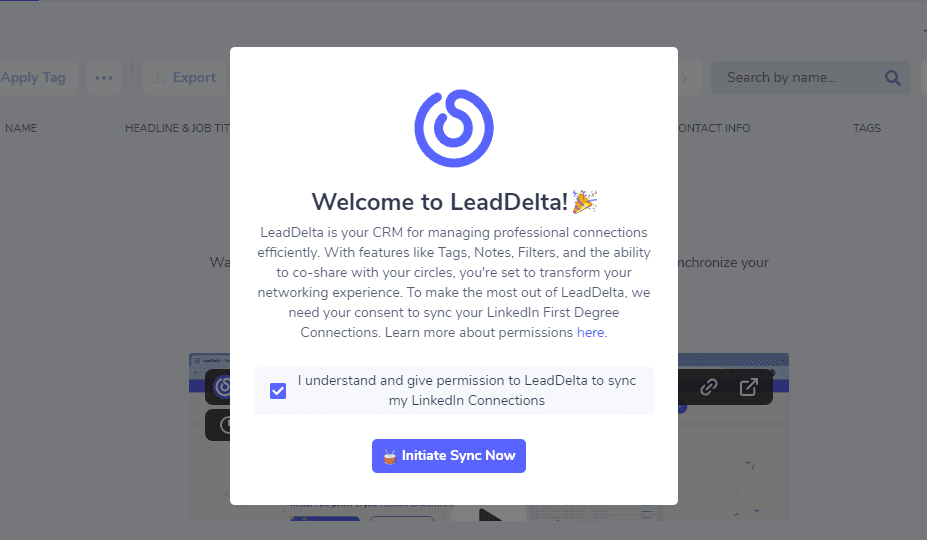
Start by importing and syncing your LinkedIn connections with LeadDelta. This integration ensures that your contact list is up-to-date and reflects any new connections.
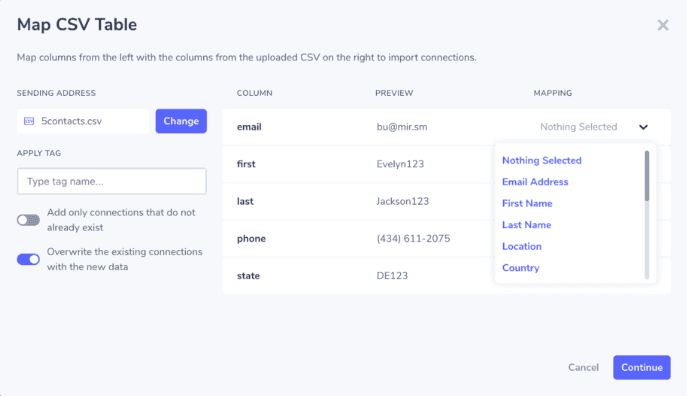
Additionally, you can upload CSV files to bring all of your connections from different platforms under one roof.
Step 2: Apply Filters and Search Criteria

Use LeadDelta’s advanced filters to search for connections that match your target audience profile. Apply filters such as industry, job title, and location to narrow down your list.
Step 3: Tag and Categorize Your Connections
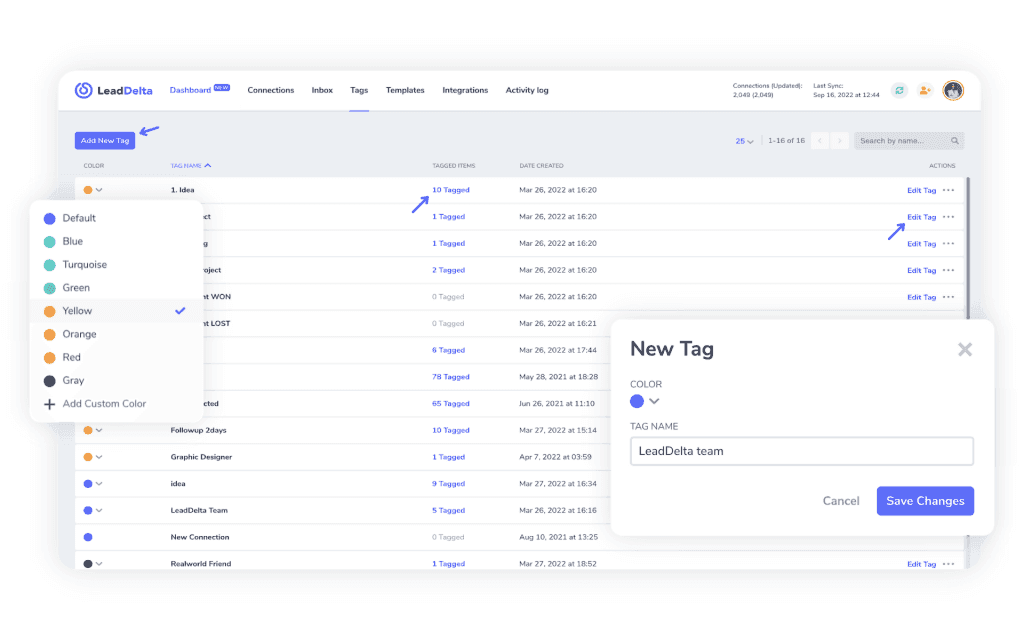
Tag your filtered connections based on their relevance and your prospecting strategy. Create categories like ‘Potential Clients’, ‘Industry Influencers’, and ‘Business Partners’ to keep your list organized.
Step 4: Export Your Prospecting List
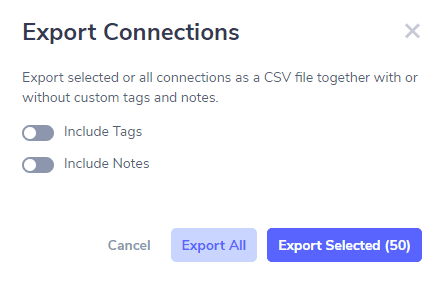
Once you have tagged and categorized your connections, you can export the list to a CSV file. This export feature allows you to use the data in other CRM tools or for further analysis.
Conclusion
Building a winning sales prospecting list is essential for a successful sales strategy.
By understanding the purpose of a prospecting list and following a structured approach to creating it, you can effectively target and engage high-potential leads.

