

The LinkedIn Chrome Extension For Power Networkers
One sidebar that follows you everywhere on LinkedIn — search, Sales Navigator, events, your inbox. Capture people, enrich them, build lead lists, and see who your team already knows, without ever leaving the page.
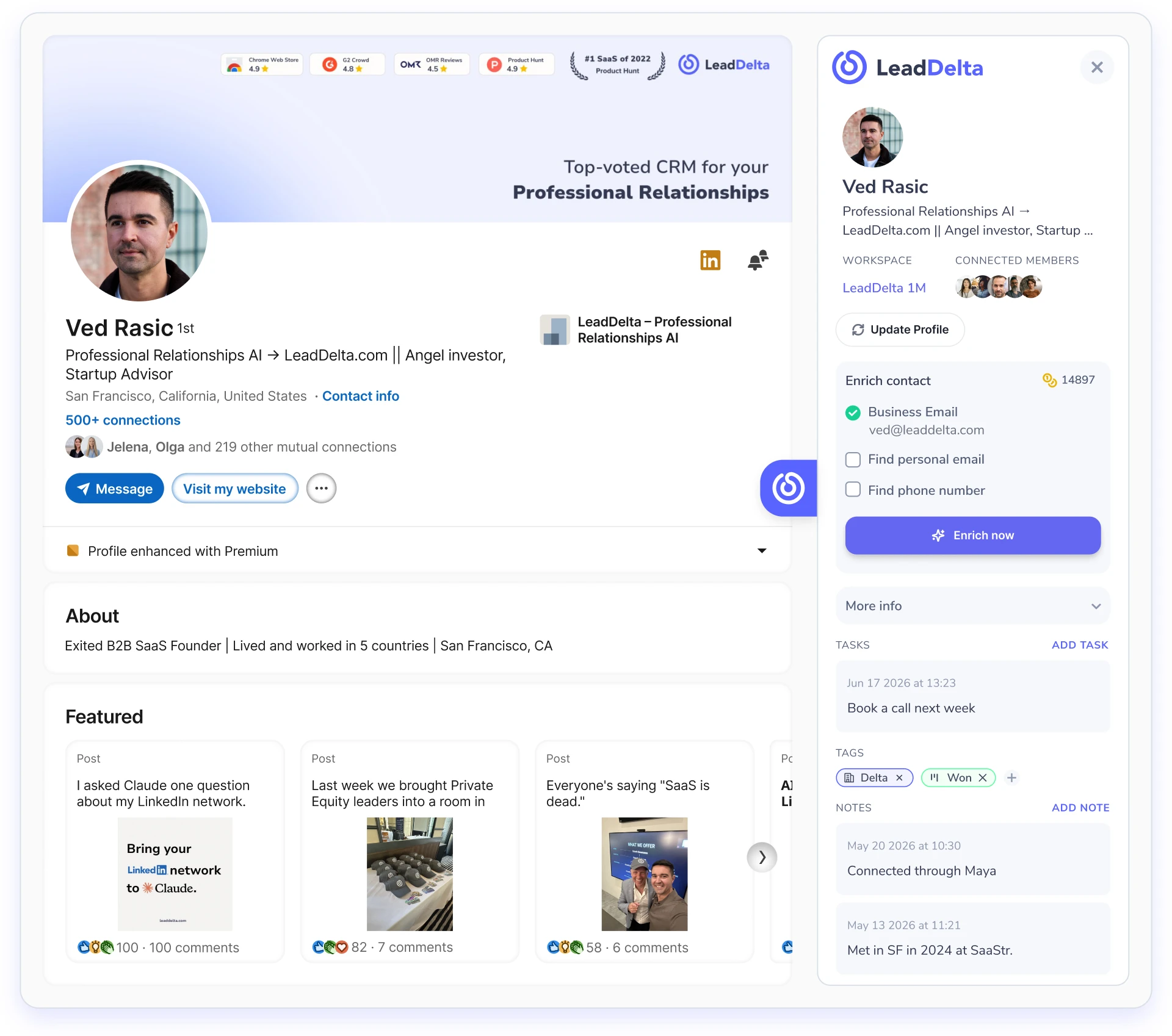
Wherever you are on LinkedIn, the sidebar is there
The LeadDelta sidebar runs on the pages you actually prospect from:
- LinkedIn search results
- Sales Navigator searches
- Event attendee lists
- Follower imports
- Inbox, regular and Sales Navigator
Open any of them and capture people straight into LeadDelta — single profiles or whole lists — then tag, enrich, and organize without breaking your flow.
Build a list from any search result.
Capture & enrich up to 1,000 at a time.
Pull every attendee into a list.
Turn followers into a CRM segment.
Context on whoever you're chatting with.
Turn a Sales Navigator search into an enriched CSV
Run a lead search in Sales Navigator, click the LeadDelta sidebar extension, and export the results straight to a list — up to 1,000 profiles at a time. Tick Business Email and Phone Number and LeadDelta enriches every profile as it exports, so the CSV you download already has verified contact details. You see your credit balance and an estimated cost before you spend a thing.
“A Sales Navigator search goes from a list of names to a CSV of verified emails and phone numbers in one click — no scraping.”
- 1Search in Sales Navigator.
- 2Open the LeadDelta sidebar → set how many to export (up to 1,000).
- 3Save to a new or existing list.
- 4Tick Business Email / Phone Number to enrich.
- 5Export to CSV.
Know who you're talking to — mid-conversation
Open a LinkedIn DM and the sidebar shows you the person behind it: their role, your tags and notes, your history, their company. No more replying blind or tab-hopping to remember who someone is.
See the Smart AI Inbox Emily Carter
Notes
Met at SaaStr ’24 · intro’d by Mia
 Hey Alex! Great connecting with you too.
Verified emails and phones, one click away
Need a contact's email or phone? Enrich them right from the sidebar — for your connections and the 2nd/3rd-degree profiles you capture.
Waterfall data enrichmentDon't double-touch a prospect
When you land on a profile, the sidebar flags if they're already in a teammate's network — and tells you which teammate. So you ask for the warm intro instead of cold-touching someone your colleague has known for years.
See the team workspace
A LinkedIn extension that won’t get you flagged
LeadDelta’s sidebar reads what you can already see on LinkedIn. It doesn’t auto-connect, auto-message, or mass-scrape — the behaviors that get accounts restricted. Capture, enrich, organize: yes. Bots: never.
What it does
- Read what you can already see
- Capture profiles to your CRM
- Enrich on-demand
- Organize with tags & notes
What it never does
- Mindless automation
- Mass DMs that will lock your account
- Mass-scrape behind the scenes
- Anything that gets accounts restricted
Up and running in two minutes
Add the extension
Install LeadDelta from the Chrome Web Store. One click.
Open LinkedIn
Hit search, Sales Navigator, an event page, or your inbox.
The sidebar appears
Capture, enrich, list-build, and act — without leaving the page.
Recognized as a leading app

4.6/5


4.5/5

4.8/5

4.8/5
Questions? We’ve got answers.
Everything you need to know before getting started.
Yes — LeadDelta's LinkedIn Chrome extension adds a sidebar across LinkedIn, with ~20,000 users and a top rating.
Yes. The sidebar follows you across regular LinkedIn, Sales Navigator, event attendee pages, follower lists, and your inbox — so you can capture and enrich people wherever you find them.
Run any search — on LinkedIn or Sales Navigator — open the sidebar, and capture the whole result set into a new or existing list with one click. Single profiles work too.
No. The sidebar only reads what you can already see on LinkedIn. It never auto-connects, auto-messages, or mass-scrapes — the behaviours that get accounts flagged. Capture, enrich, and organize: yes. Bots: never.
Yes. On Team Workspace plans, the sidebar flags when a profile is already in a teammate's network and tells you who — so you ask for the warm intro instead of cold-touching them.
Yes. Run a Sales Navigator search, open the sidebar, and export up to 1,000 profiles to a list. Tick Business Email and Phone Number and LeadDelta enriches every profile as it exports, so your CSV already has verified contact details.

Your network is worth millions.
Let’s unlock it
Join 40,000+ founders, sales teams, and recruiters turning LinkedIn into pipeline.
No credit card required