
Independent sales reps rely on LinkedIn to find leads, nurture relationships, and close deals. However, LinkedIn’s built-in tools can be limiting when it comes to organizing connections, tracking prospects, and managing conversations efficiently. This is where LeadDelta comes in.
LeadDelta transforms LinkedIn into a structured CRM-like platform, helping independent sales reps organize, track, and engage with their network in a way that directly supports their sales efforts. Whether you’re prospecting, messaging, or exporting contacts, LeadDelta provides a smarter way to manage LinkedIn connections without relying on expensive, complex CRMs.
Let’s go step by step through a typical sales process and see how LeadDelta helps independent reps streamline their LinkedIn workflow.
1. Filtering and Organizing Leads Efficiently
Challenge:
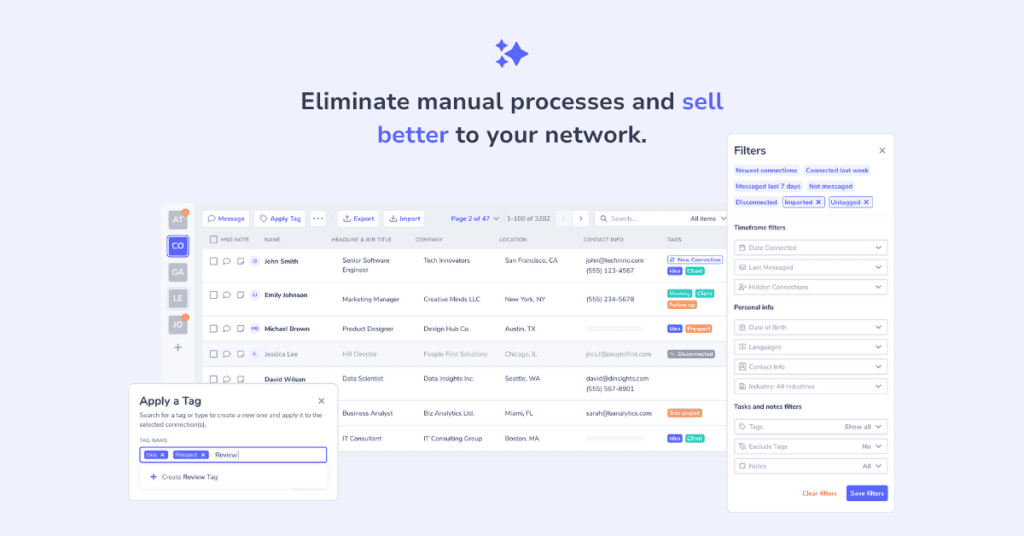
Independent sales reps often connect with hundreds, if not thousands, of people on LinkedIn. However, LinkedIn’s default interface lacks an efficient way to filter, tag, and categorize leads for follow-ups.
How LeadDelta Helps:
✅ Advanced Filtering & Sorting: Search and filter your LinkedIn connections by company, job title, location, or other 12 filters to segment prospects easily. ✅ Custom Tags & Notes: Assign custom tags (e.g., “Hot Lead,” “Follow-up,” “Webinar Attendee”) and write notes on each connection to keep track of key details. ✅ List Views & Custom Columns: Personalize your CRM view by adjusting columns and viewing everything in a simple list view.
Example Use Case:
You’re an independent sales rep selling marketing automation software. You connect with CMOs and Growth Managers on LinkedIn. With LeadDelta, you can:
- Tag CMOs and Growth Managers as ”Decision Makers”
- Filter contacts by industry, location, and company to create a ”SaaS Prospects” tag.
- Add notes like, ”Met at SaaS Conference” or ”Interested in a demo.”
Now, when it’s time to follow up, you can quickly find the right contacts instead of scrolling through endless LinkedIn messages and contact lists.
2. Prospecting and Building a Targeted Sales Pipeline
Challenge:
Prospecting on LinkedIn can be time-consuming, and LinkedIn’s search tools don’t allow easy lead tracking and organization.
How LeadDelta Helps:
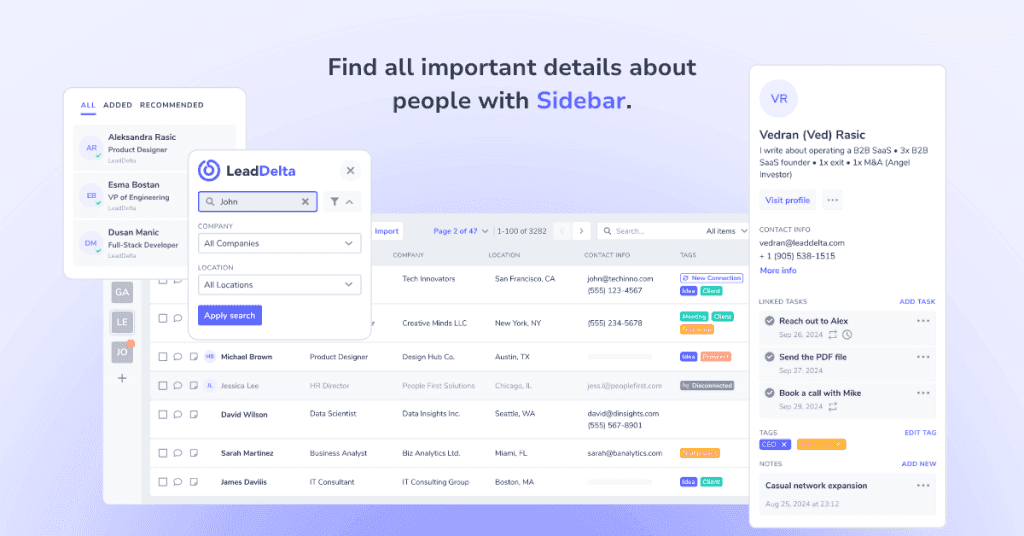
✅ Prospecting Management: Create a simple, structured pipeline by saving key prospects’ info with LeadDelta Tags and Notes. ✅ Add new leads directly from LinkedIn: Instead of manually copying and pasting prospect details, use the LeadDelta Sidebar to add new leads to your CRM without leaving LinkedIn. As you browse LinkedIn profiles, simply open the sidebar to tag and save leads instantly, ensuring your pipeline stays updated in real-time. ✅ Lead Enrichment: With a single click, update emails and company details to get fresh data and fill in missing information.
Example Use Case:
Let’s say you sell recruitment software and want to connect with HR directors in the tech industry.
- While on LinkedIn, use Sidebar to add HR directors into your LeadDeta.
- Update their contact information with a single click.
- Export a list of contacts with emails for cold outreach.
Now, instead of juggling spreadsheets and LinkedIn messages, your entire prospecting process is centralized. A setup like this can also support teams offering contract IT staffing services, making it easier to track prospects and streamline outreach workflows.
3. Engaging and Messaging Prospects More Effectively
Challenge:
LinkedIn messages can quickly become disorganized, making it hard to follow up with prospects without losing track of conversations.
How LeadDelta Helps:
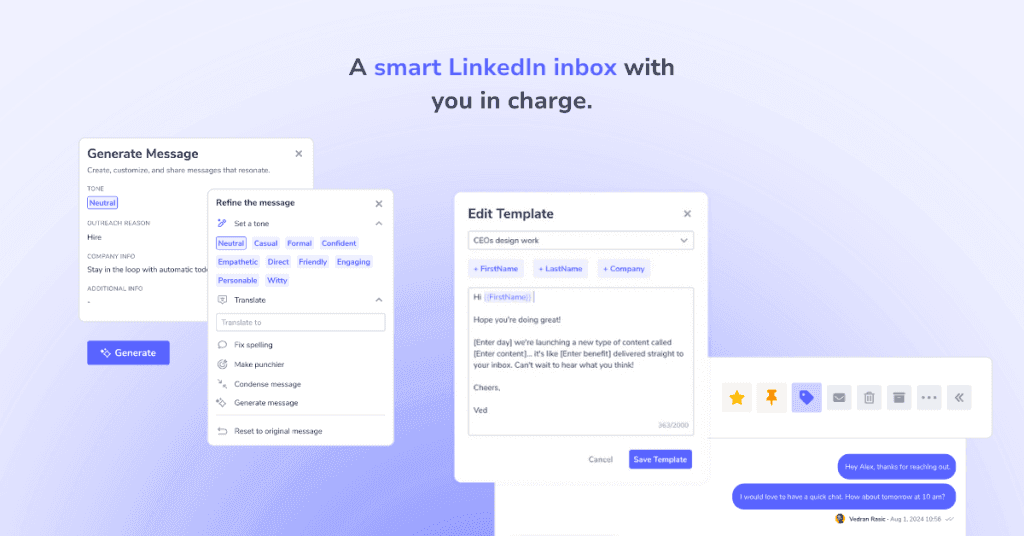
✅ Organized LinkedIn Inbox: Use filters, labels, and message categories to streamline LinkedIn messaging. ✅ Bulk Messaging: Send personalized messages to multiple contacts at once without spamming. ✅ Saved Message Templates: Store and reuse high-performing outreach templates for consistency.
Example Use Case:
You’re an independent sales rep offering financial consulting services and want to reconnect with leads who showed interest but never booked a call.
- Filter LinkedIn messages to find past conversations with unresponsive leads.
- Use LeadDelta’s bulk messaging tool to send a polite follow-up: ”Hey [First Name], we spoke a few weeks ago about financial planning. Would love to continue our conversation! Let me know if you’re available next week.”
- Track who responds and prioritize follow-ups.
This way, you increase engagement without getting lost in LinkedIn’s cluttered inbox.
4. Tracking Leads and Managing Follow-Ups
Challenge:
Without a proper system, sales reps often forget to follow up at the right time, leading to missed opportunities.
How LeadDelta Helps:
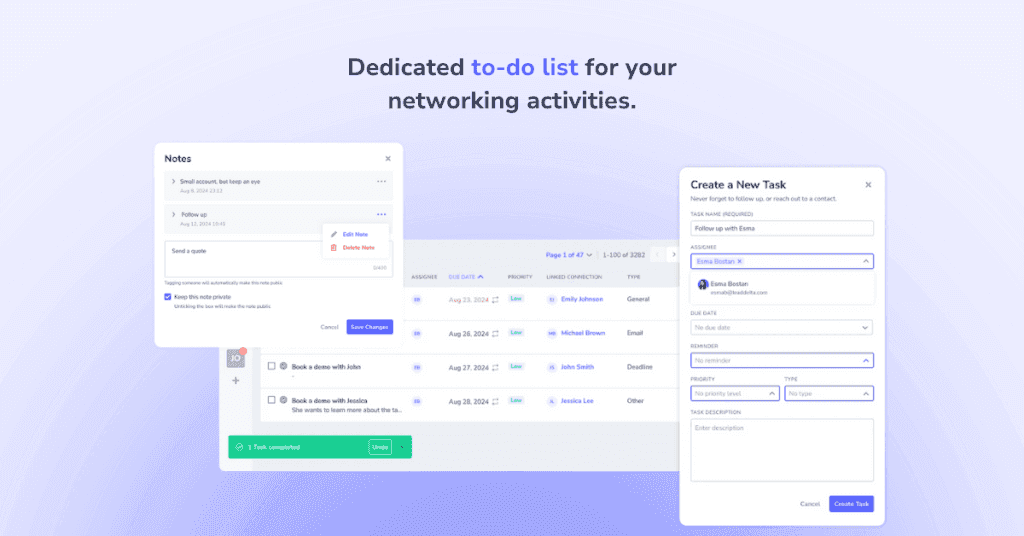
✅ Set Tasks: Create a to-do list specifically built for your sales activities. ✅ Reminders: Get back to your tasks on time by setting reminders for follow-ups. ✅ Add Notes: Keep track of past interactions and your discovery insights about a person.
Example Use Case:
You run a B2B SaaS sales operation and had a great LinkedIn chat with a VP of Sales who said, “Follow up in 3 weeks.”
- Add a reminder in LeadDelta to check in after 3 weeks.
- Tag the prospect as ”Warm Lead – Needs Follow-up.”
- Keep notes on past conversations, so you remember details when reaching out.
When the time comes, you’ll have everything organized, no need to dig through old LinkedIn messages.
5. Exporting Contacts & Emails for Multi-Channel Outreach
Challenge:
LinkedIn makes it hard to do email extraction, making multi-channel outreach (email + LinkedIn) difficult.
How LeadDelta Helps:
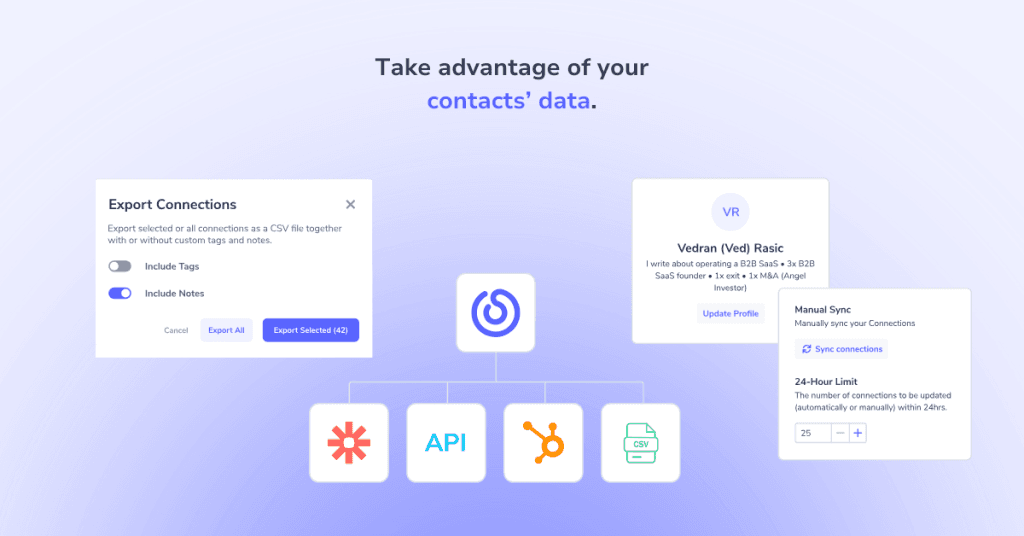
✅ Export LinkedIn Contacts & Emails: Download your network’s data, including emails, company details, and job titles. ✅ Sync with Sales Tools: Use the exported list in other tools via LeadDelta integrations or simply by exporting data and importing it to the system of your choosing.
Example Use Case:
If you want to run an email campaign, you can:
- Export LinkedIn contacts with emails from LeadDelta.
- Upload them into HubSpot or other tools for an automated follow-up sequence.
- Use email + LinkedIn outreach for higher response rates.
This means no more manual copy-pasting of contacts, saving hours of work.
6. Finding Company Employees for Account-Based Selling
Challenge:
When selling to companies, you need to connect with multiple stakeholders to increase your chances of closing a deal.
How LeadDelta Helps:
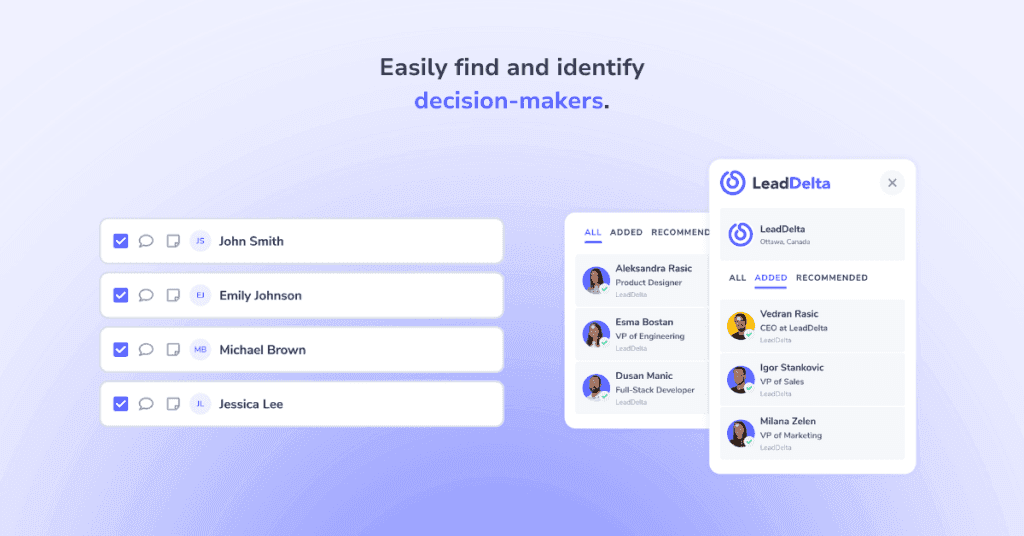
✅ Find All Employees of a Company: See who works at a specific company and their job roles. ✅ Identify Key Decision Makers: Filter by title (e.g., “VP of Sales,” “Head of Marketing”). ✅ Build Account-Based Selling Lists: Use Tags to group prospects by company and tailor outreach accordingly.
Example Use Case:
You sell enterprise HR software and are targeting Fortune 500 companies.
- Use LeadDelta Sidebar to find decision makers at a target company.
- Connect with multiple decision-makers to improve your chances of closing a deal.
- Track all interactions in LeadDelta for a coordinated follow-up strategy.
This account-based approach increases your sales effectiveness.
Why Independent Sales Reps Choose LeadDelta Over Traditional CRMs
Traditional CRMs are expensive, complex, and not focused on your LinkedIn efforts.
LeadDelta, on the other hand, provides: ✅ Simplicity: No complicated setups, just instant LinkedIn organization. ✅ Affordability: A budget-friendly alternative to enterprise CRMs. ✅ Efficiency: Save hours on lead tracking, messaging, and outreach.
If you’re an independent sales rep, LeadDelta is the LinkedIn CRM you’ve been missing.
Try LeadDelta today and start selling smarter! 🚀

