
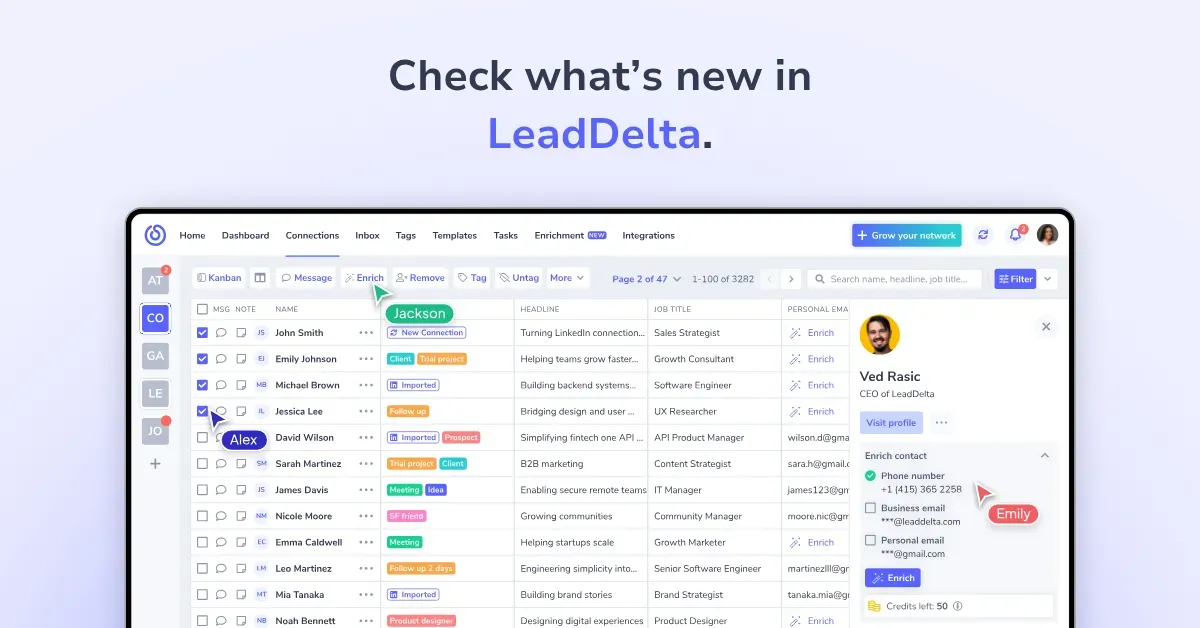
Welcome to your go-to page for all product updates. Here you’ll find everything we’ve shipped – from powerful new features to smaller improvements, sorted by release date. We’re constantly improving LeadDelta to make your networking smarter, faster, and more collaborative.
May 28th, 2026 – Conversational Tags: The New AI Inbox That Sorts LinkedIn for You (Superhuman for LinkedIn)
Your LinkedIn inbox, triaged before you even open it. We rebuilt the LeadDelta Inbox from the ground up, and the centerpiece is Conversational Tags — AI-generated labels that read each conversation and sort it the moment it lands.
What’s New:
- Conversational Tags — the AI reads each thread and auto-applies a label as messages arrive (To Respond, Awaiting Reply, Warming Up, Introductions, FYI, Action Items, and more). Remove or change a label and the AI re-applies the right one on the next message.
- Main Inbox vs. All Messages — your inbox now splits into a focused Main Inbox and a full All Messages view. Set your default view and choose exactly which labels surface in your Main Inbox from Inbox settings — changes auto-save.
- Snooze and follow-up reminders — snooze any conversation to resurface later, and let the AI flag threads that need a follow-up so you never forget to reply.
- Sales Navigator conversations in one place — your Sales Navigator messages now sync straight into the same inbox, color-coded and taggable, with no jumping between screens. The v2 sync goes well past the old 20-conversation limit.
- AI replies in your voice — train the AI on your recent conversations and it drafts replies in your tone, using your history with each person.
- Refreshed tags and upgraded HubSpot export — a cleaner tag design across the app, plus the ability to log individual messages to HubSpot contact activity, auto-sync new messages, or surface them in your HubSpot inbox.
Why It Matters:
If you live in your LinkedIn inbox, you know the problem: too many threads and no fast way to see what actually needs a reply today. LeadDelta’s Conversational Tags automatically label each LinkedIn conversation — like To Respond, Awaiting Reply, or Warming Up — so you open your inbox already knowing what to handle first. Your Main Inbox shows only the labels you chose, Sales Navigator threads finally sit alongside everything else, and the rest gets snoozed or drafted by AI. The tools you already rely on stay right where they were: pin to top, archive, and a layout you can arrange your way.
Coming Soon:
- Auto-drafted replies when a follow-up reminder returns (BETA)
- More tools landing in your Inbox toolkit
Important information:
- The first time you open the new Inbox, train your AI on your recent conversations so labels and drafts match how you actually work.
May 26th, 2026 – New Left Sidebar Puts Every LeadDelta Tool One Click Away
Your whole workspace, down the left side. We moved navigation from the top bar to a full left sidebar, so everything from Contacts to AI Chat is one click away, all the time.
What’s New:
- Navigation moved from the top bar to a persistent left sidebar
- Core views — Home, Contacts, Inbox, Dashboard — sit up top for instant access
- Everything else is grouped the way you work: Manage (Tags, Tasks, Templates, Notes, Custom feeds) and Tools (AI Chat, CSV Enrich, LeadSearch, Integrations)
- Collapse the sidebar anytime to free up screen space
- Your workspace switcher and credits balance stay pinned in view, no digging required
Why It Matters:
The old top bar made you hunt for tools as we kept adding them. The new left sidebar lays everything out in one vertical menu, grouped the way you actually work, so you’re never more than a click from Contacts, Inbox, or AI Chat. Collapse it when you want room to focus; expand it when you need the full map. LeadDelta’s left sidebar keeps your entire workspace navigation in one place, with your credits and active workspace always in view.
![LeadDelta's new left sidebar showing Home, Contacts, Inbox and Dashboard up top, with Manage and Tools sections below and the workspace switcher and credits balance pinned to the edges"]](/_next/image?url=https%3A%2F%2Ftrusty-star-0156dbb25f.media.strapiapp.com%2FScreenshot_2026_06_01_at_4_07_17_PM_181x1024_dcb7e020a9.png&w=3840&q=75)
May 18th, 2026 – Inbox AI Now Knows Which Template to Use
The right reply, matched before you go looking for it. Your Inbox AI now reads the conversation and understands which of your saved templates actually fits the moment.
What’s New:
- Inbox AI now reads your conversations and understands your saved templates
- It knows which situation each template fits, so the right one gets matched to the message in front of you
- A new sidebar menu gives Inbox a cleaner layout and faster navigation
Why It Matters: You built those templates for a reason — but stopping to pick the right one mid-conversation slows you down. Now, Inbox AI reads the thread, understands what the moment calls for, and surfaces the appropriate template. LeadDelta’s Inbox AI matches the right saved template to each LinkedIn conversation automatically, so you spend less time scrolling your library and more time replying. Fewer wrong replies. Faster responses to the people in your network.
May 14th, 2026 – The first LinkedIn AI inbox with keyboard shortcuts to 10x your conversations
We just shipped a full rebuild of the LeadDelta Inbox. The new AI Inbox opens instantly and drafts replies in your tone of voice, across both LinkedIn DMs and Sales Navigator messages. You can use keyboard shortcuts to reach inbox zero in 5 minutes a day.
What’s New:
- AI Reply Drafts — Trained on months of your past conversations (up to 30 messages each) so drafts sound like you, not a template.
- Instant Inbox — Rebuilt from scratch; loads inside LeadDelta with no redirects and no wait time.
- Keyboard Shortcuts — Press
Ctrl+Shift+Gto AI-draft a reply, orNto jump to the next conversation with a draft already waiting. - LinkedIn + Sales Navigator in One View — Both inboxes share the same interface; AI drafts, tags, and enrichment work across both.
- Tags Sync Everywhere — Apply a tag from the Inbox and it lands on the contact instantly across the rest of LeadDelta.
- Privacy by Default — Conversations are stored securely and used only to personalize your AI assistant. We don’t read them.
Why It Matters:
Keeping up with LinkedIn messages at volume used to force a trade-off: write every reply by hand and burn an hour, or paste templates that everyone can spot. The new AI Inbox closes that gap — it learns from how you actually communicate, drafts replies in your tone, and lets you fly through conversations with two keystrokes. LinkedIn DMs and Sales Navigator threads now live in the same place, so you stop hopping tabs and losing context. Your inbox just became the fastest part of your day.
Coming Soon:
- AI Labels (shipping mid next week) — Messages will auto-sort by context: spam routed out, ”needs reply” highlighted, and low-priority conversations snoozable. The AI reads incoming messages and routes each into the right inbox view automatically.
Important information:
- The old and new Inbox run in parallel through Sunday, May 17th. From Monday, May 18th, the new AI Inbox replaces the old one as the default for LeadDelta Pro, Business and Enterprise active subscribers.
May 7th, 2026 – Sales Navigator Inbox Now Lives Inside LeadDelta
If you prospect in Sales Navigator, your messages and your CRM have been living in two windows for years. Sales Navigator Inbox brings them into one — same tags, same enrichment, same workflow as your regular LeadDelta inbox.
What’s New:
- Search every Sales Navigator message you’ve ever sent
- Tag Sales Navigator prospects — including 2nd and 3rd-degree contacts who haven’t accepted yet
- Pull business emails or phone numbers for Sales Nav leads with one click
- Every tagged Sales Nav contact lands in your Contacts table automatically — no copy-paste, no exports
- LeadDelta sidebar runs natively inside the Sales Navigator inbox
Why It Matters:
If you run prospecting through Sales Navigator, your messages and your CRM have lived in two tabs for years. Now you can reply, tag, enrich, and route leads to your pipeline — all without leaving LinkedIn. One window for the whole motion.
Important information:
- Requires an active LinkedIn Sales Navigator seat
- Available on LeadDelta PRO and Business plans
December 18th, 2025 – Enrich & Export Sales Navigator Lists
We just supercharged the LeadDelta Sidebar for Sales Navigator.
Now, you can enrich entire Sales Navigator search result pages and export those contacts as clean CSV files, all without leaving LinkedIn.
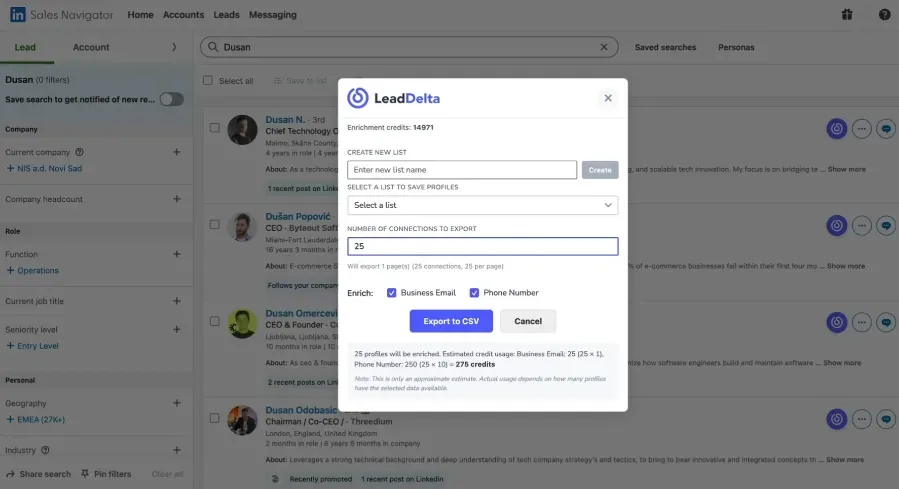
What’s New:
- Bulk Enrichment directly from Sales Navigator searches
- CSV Export of enriched contacts with one click
- Works with 1st, 2nd, and 3rd-degree leads
Why It Matters:
Sales Navigator already gives you powerful filters; now LeadDelta makes it easy to turn those filtered leads into enriched, exportable data for outreach, CRM sync, or collaboration with your team.
December 5th, 2025 – LeadDelta Sidebar Now Works in Sales Navigator
If you prospect in Sales Navigator, this is a game-changer. The LeadDelta Sidebar is now fully integrated inside LinkedIn Sales Navigator, giving you everything you need, right where you already work.
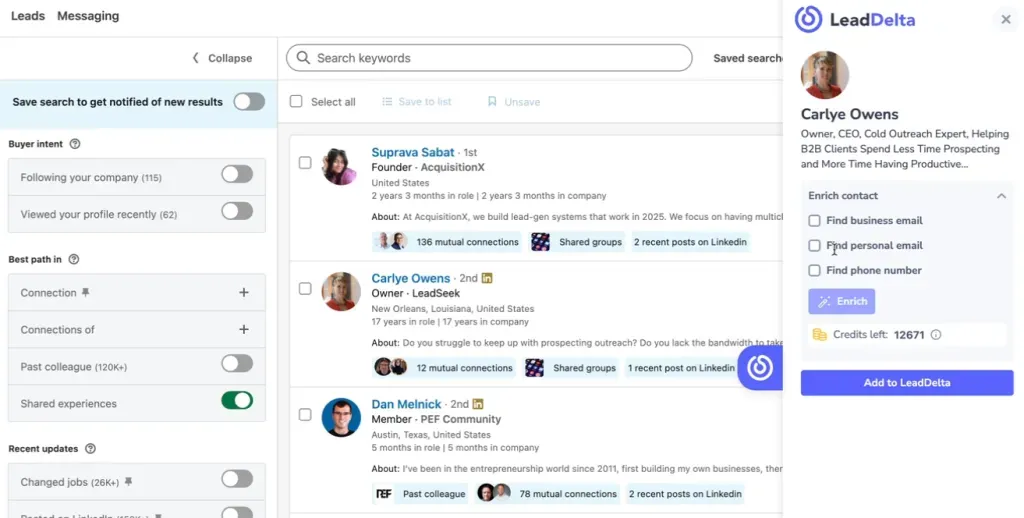
What You Can Do Inside Sales Navigator:
- Filter leads using advanced Sales Nav filters
- Add leads to LeadDelta with one click
- Enrich contacts instantly (business email, personal email, phone number)
- Add tags, notes, tasks, and even assign teammates
- Build segmented lead lists directly from your search results
Why It Matters: Whether you’re doing cold outreach or building a high-quality pipeline, this update makes your workflow faster, more productive, and better organized. You stay in Sales Navigator, and LeadDelta handles the rest.
November 21st, 2025 – AI Chat & HubSpot Native Integration
Two major releases just landed:
1. AI Chat (BETA)
Your entire network. One smart search bar.
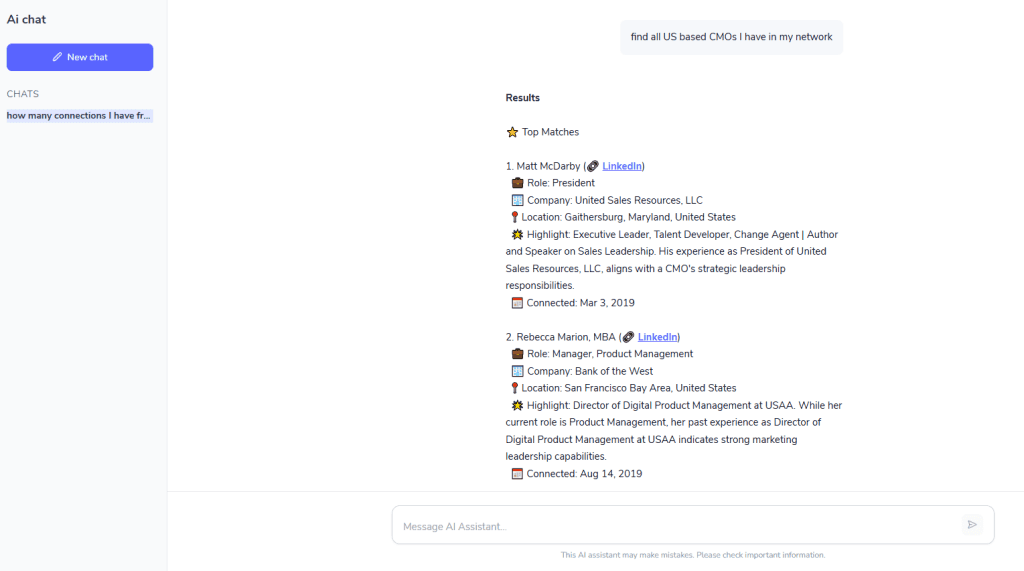
We just launched AI Chat inside LeadDelta – a new way to instantly search, filter, and surface insights across your workspace using natural language.
Ask questions like:
- “Who are the CMOs I haven’t talked to in 3 months?”
- “Show me contacts in FinTech tagged as warm leads.”
- “Who in our team knows someone at HubSpot?”
And get instant, actionable answers – pulled from:
- Your LinkedIn connections
- Notes, tags, tasks
- CSV-imported contacts
- Your entire team’s shared network
DM/inbox search is coming soon.
Important information:
- AI Chat is in public BETA
- Available only on the Business Plan
- Pricing may be adjusted based on usage volume
Why It Matters:
AI Chat turns your network into a searchable knowledge base. Instead of digging manually, you ask – LeadDelta answers. Faster insights = faster actions.
2. Native HubSpot Integration
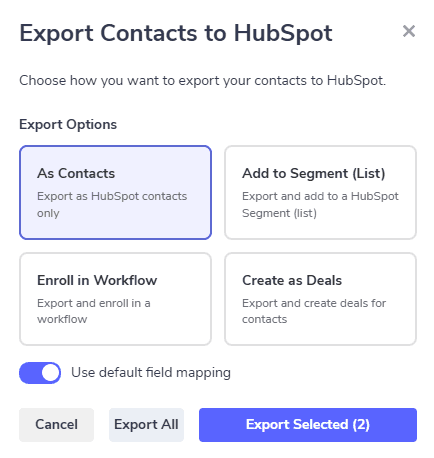
With our new HubSpot integration, you can now:
✅ Sync LeadDelta contacts directly to HubSpot ✅ Push people into lists, workflows, or deals ✅ Keep your CRM enriched with:
- Updated LinkedIn job titles
- Business emails & phones
- Company data & more
And this is just the beginning.
🛠 Coming Soon:
- LinkedIn DM sync → HubSpot
- Bi-directional sync of tags, tasks, notes, templates
- Sync LinkedIn comments for better engagement tracking
💡 Why It Matters:
No more CSV juggling or manual CRM updates. With LeadDelta + HubSpot working together, your outreach, sales, and follow-ups stay in sync always.
October 28th, 2025 – Job Change Signals & Custom Contact Fields
We just shipped two major upgrades:
1. Job and Company Change Signals
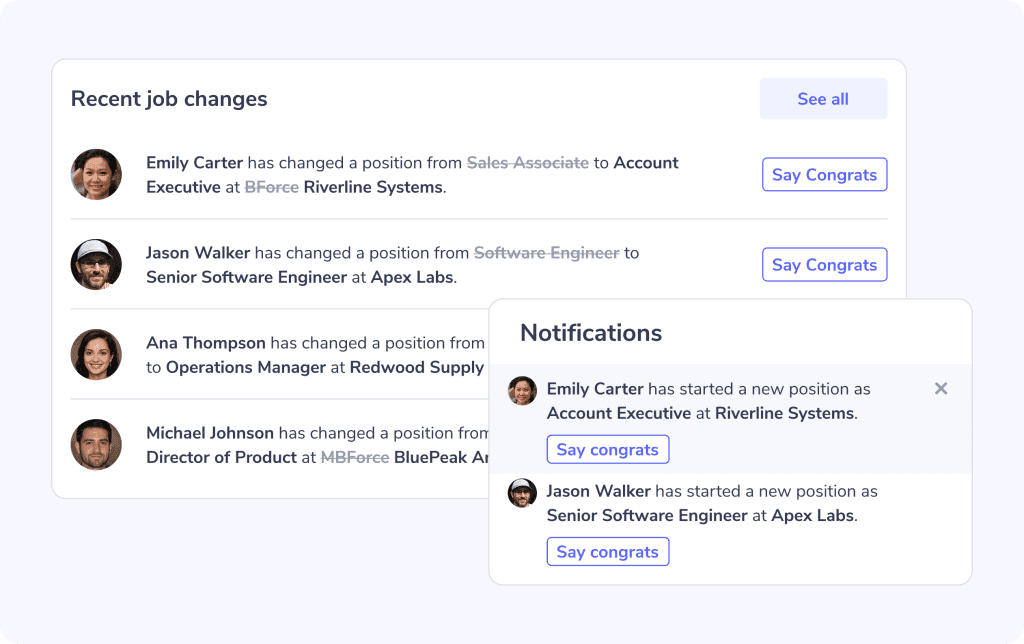
You can now see when someone in your network:
- Changes job titles
- Switches to a new company
These signals appear right on your LeadDelta Home Page and help you stay timely and thoughtful in your outreach. You’ll also get notifications for new changes.
💬 One-click re-engagement
See someone made a move? Just click ”Say Congrats” – we’ll:
- Open a chat popup
- Draft a message for you
- With one click, you can send it
You can even track changes across your entire team’s network, giving everyone visibility into shared contacts and key relationship changes.
💡 Why It Matters:
These moments are perfect for checking in, reigniting conversations, and identifying new opportunities. Never miss a chance to reconnect.
2. Custom Contact Fields
You can now add your own custom fields to contacts inside the LeadDelta table view.
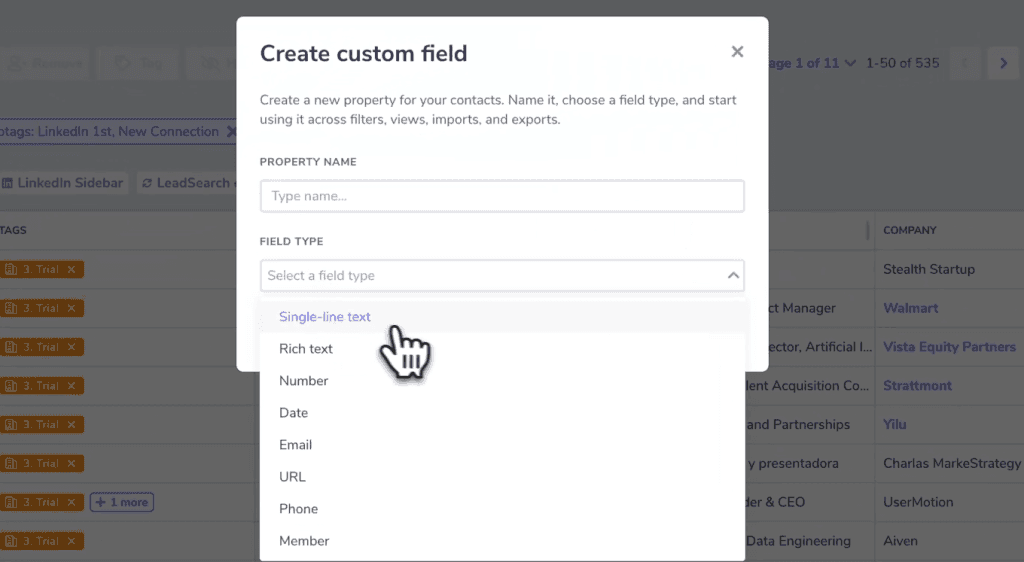
Supported field types:
- Text
- Number
- Date
- Phone
- URL
- Tag a team member (great for ownership or internal notes)
Use custom fields to:
- Store CRM-like data
- Track internal segmentation
- Assign ownership
- Record unique details
💡 Why It Matters:
Your network isn’t one-size-fits-all. Custom fields give you the flexibility to tailor LeadDelta to your exact workflow – adding more context and more structure without leaving your table view.
September 30th, 2025 – Custom Feeds Now Track Your Engagement Goals
✨ What’s New:
We’ve taken Custom LinkedIn Feeds to the next level with a brand-new Engagement Progress Tracker.
You can now set a weekly engagement goal – for example, “leave 15 comments this week” – and we’ll track your progress in real-time as you interact through your Custom Feeds.
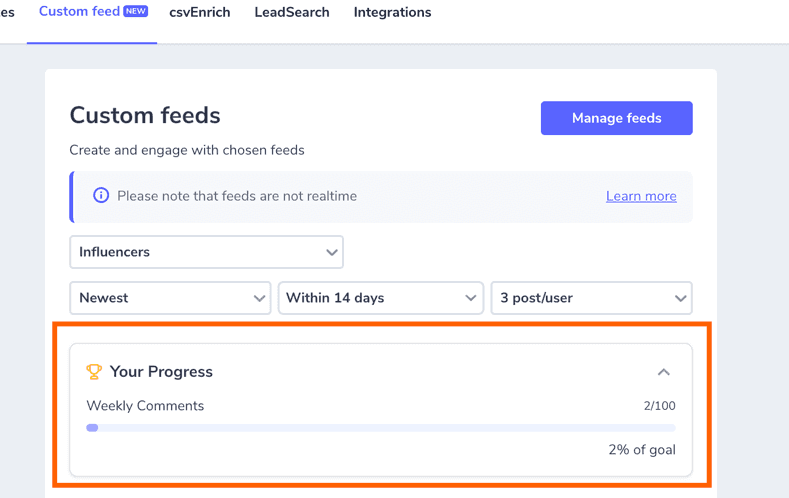
Here’s how it works:
- Set your comment goal in Settings – Feeds – Engagement progress
- Each time you comment via LeadDelta, we’ll auto-update your progress bar
- See how close you are to your goal for the week
- Hit your engagement targets consistently and build stronger relationships
💡 Why It Matters:
Consistency is key to staying top-of-mind with your network. This feature helps you stay accountable, focused, and intentional – without guesswork.
🎯 Whether you’re nurturing leads, reconnecting with VIPs, or growing visibility with ideal prospects – Engagement Progress helps you do it, visibly.
Explore Custom LinkedIn Feeds here →
September 19th, 2025 – Custom LinkedIn Feeds Are Here 🎯
✨ What’s New:
Tired of missing important updates from key contacts on LinkedIn? Now you can build Custom Feeds inside LeadDelta – personalized LinkedIn feeds filtered by your most important relationships.
🔍 How It Works:
- Create lists of contacts that matter to you
- Instantly generate a LinkedIn feed based on that segment
- View, like, and comment on their posts – all from one place
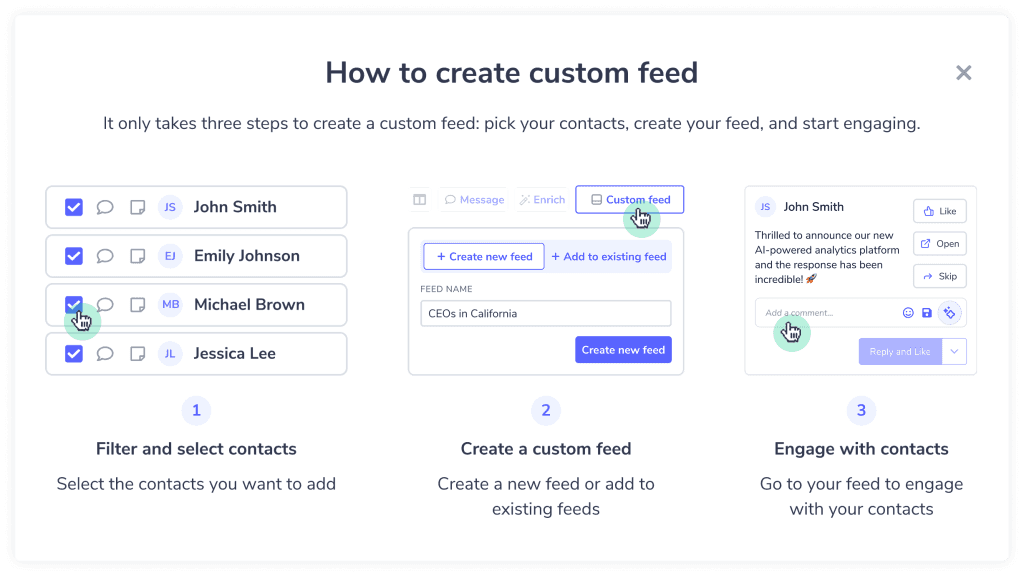
You can create feeds for anyone of interest:
🎯 Top clients or leads 🧲 Prospects in pipeline 👥 Recently added connections 🧠 Thought leaders in your space 💼 VIP relationships
💡 Why It Matters:
Custom Feeds bring focus to your relationship-building and engagement efforts. No more doom-scrolling and wasting time. Instead of guessing who to engage with, you’ll always see relevant posts from the people who matter most and respond with context and intent.
Learn more: Custom Feeds Overview Help Article: How to Use Custom Engagement Feeds
August 28th, 2025 – Sidebar Now Works Inside LinkedIn Inbox
✨ What’s New:
You can now open and use the LeadDelta Sidebar directly inside your LinkedIn Inbox – without leaving your conversations.
💼 While on LinkedIn Inbox, you can now:
✅ View and enrich contacts (business & personal emails, phone numbers) 🏷️ Add or remove tags 📝 Create notes 📌 Assign tasks 💬 Mention teammates 🤝 View shared connections with your team
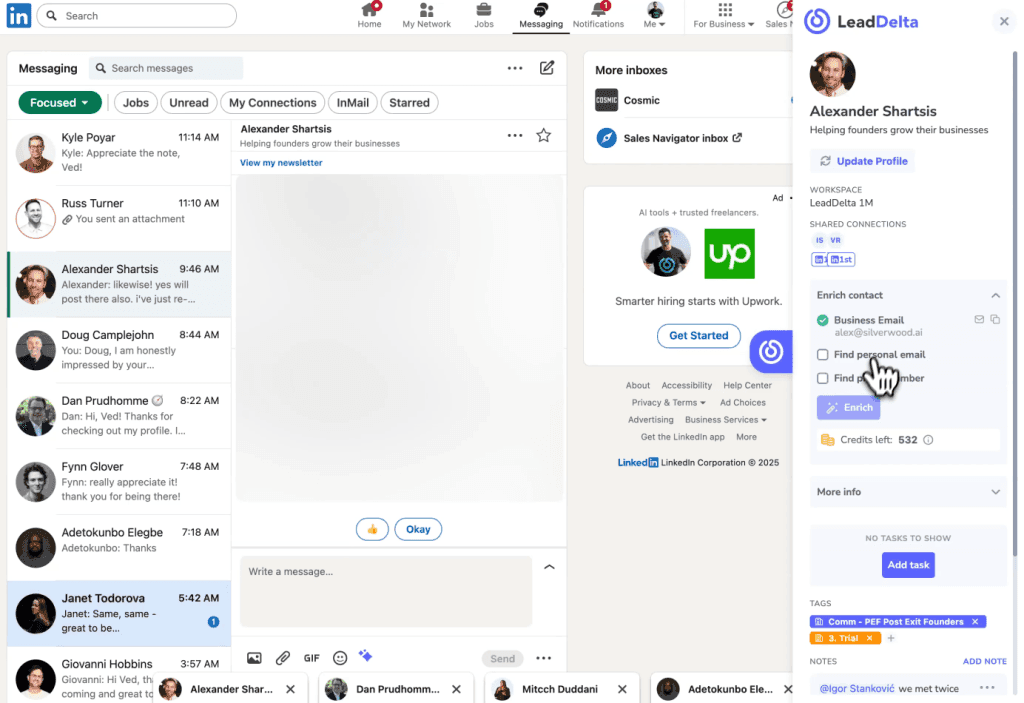
💡 Why It Matters:
This update makes your LinkedIn Inbox a productivity powerhouse. You can stay engaged with your leads or connections, and update your LeadDelta workspace in real-time, all without breaking focus.
Everything you do in the Sidebar syncs instantly to LeadDelta.
August 28th, 2025 – Better Tagging in LinkedIn Sidebar & Inbox
✨ What’s New:
Your streamlined tagging experience is now available on LinkedIn Sidebar and in your LeadDelta Inbox.
🧩 LinkedIn Sidebar
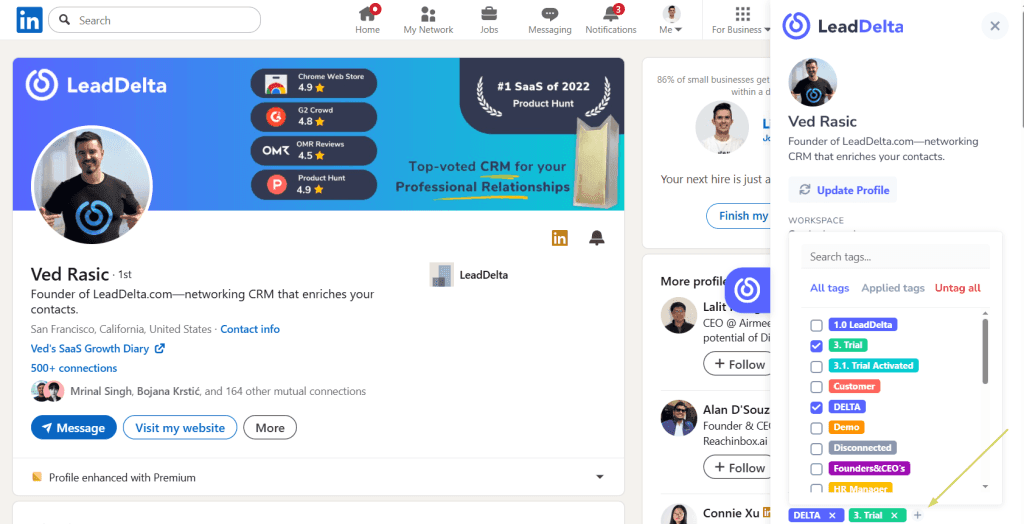
While browsing LinkedIn, open up your LeadDelta Sidebar and:
- Click on the Tags section
- Instantly open the improved tagging panel
- View all tags, see which are already applied, and: ➕ Add new tags ✅ Apply existing tags ❌ Untag contacts – all without leaving LinkedIn
✉️ Inbox Tagging
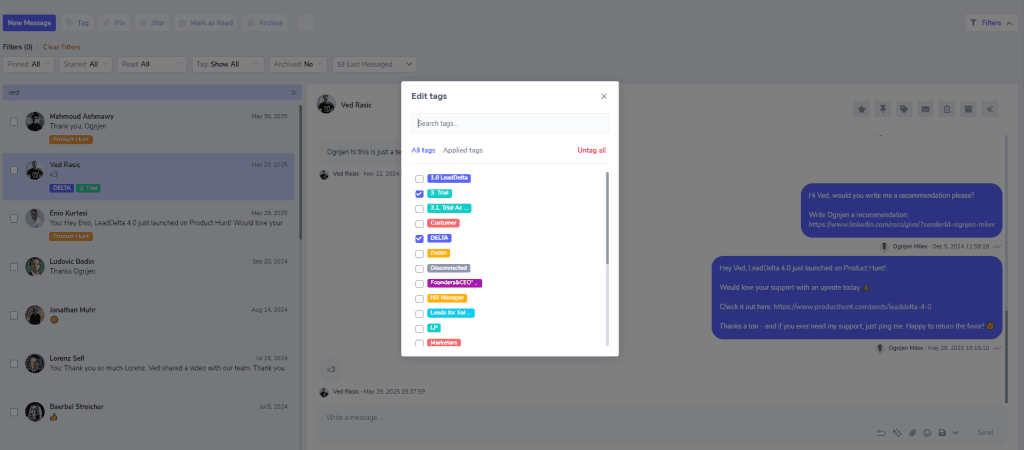
Managing tags during conversations is now smoother for both bulk tagging multiple conversations and tagging individual ones.
The updated modal allows managing:
- All selected contacts
- Mutual tags – tags applied to all selected connections
- Individual tags – tags applied only to some connections
💡 Why It Matters:
Now you can organize, personalize, and segment your outreach more effectively – even while messaging or browsing LinkedIn.
August 21st, 2025 – Smarter Tags, Fewer Clicks
✨ What’s New:
LeadDelta’s tagging just got a major usability upgrade, based on popular demand.
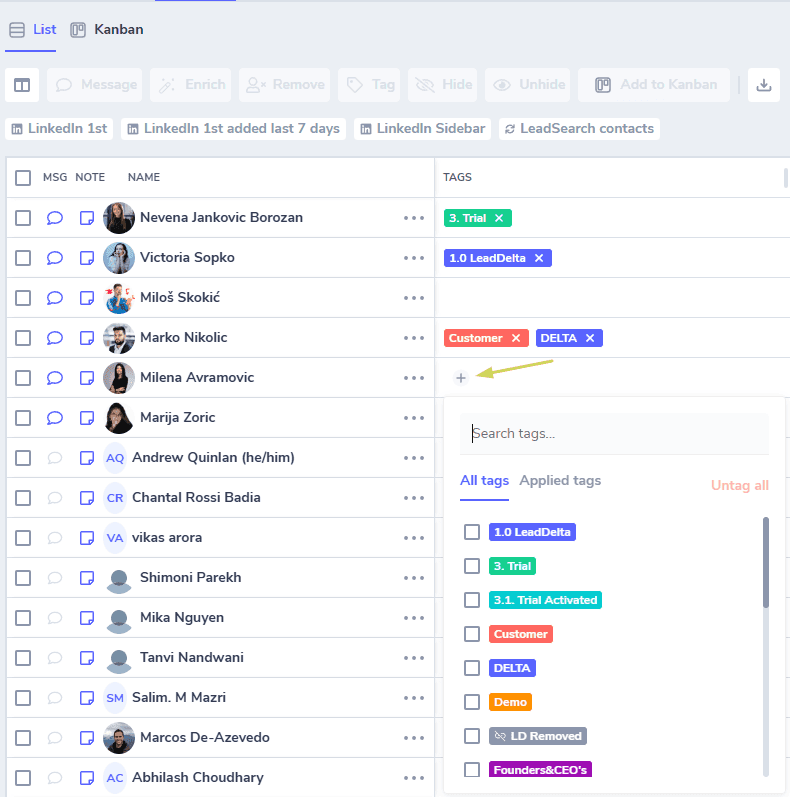
➕ Quickly Add Tags from the Contact Table:
You can now create or apply tags directly from the Tags column in your contact list. Just click the + icon to open the new mini tag selector.
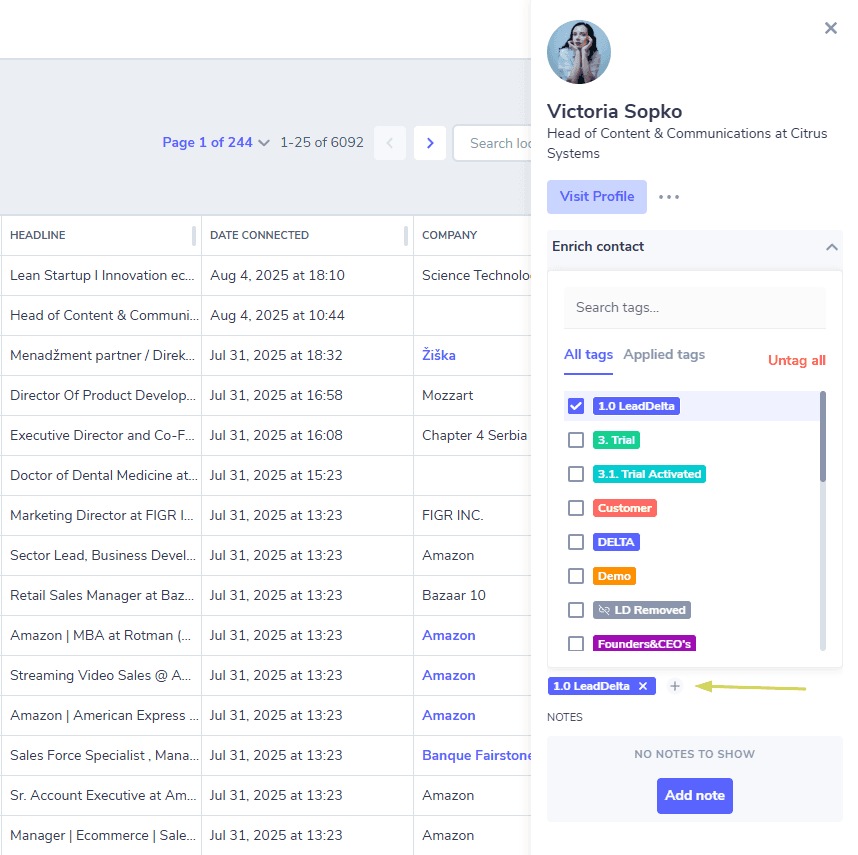
📎 Tag from the Contact Sidebar:
The same tagging shortcut is available in the Sidebar.
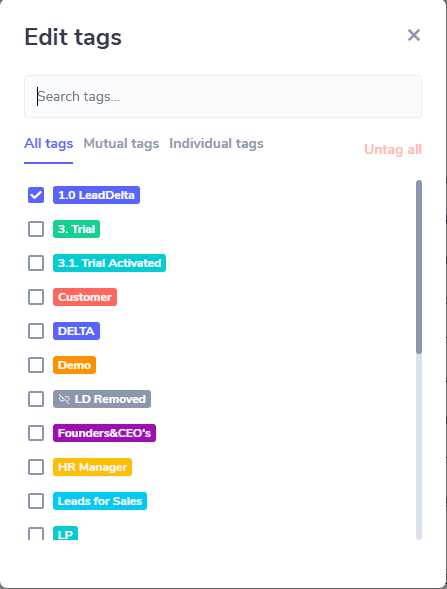
🧩 New Bulk Tagging Modal:
When selecting multiple contacts and clicking “Tag,” you’ll now see an improved popup that helps you can manage tags quickly for:
- All selected contacts
- Mutual tags – tags applied to all selected connections
- Individual tags – tags applied only to some connections
💡 Why It Matters:
No more unnecessary clicks or jumping around. These upgrades make it faster to organize your network, build segments, and streamline workflows.
August 11th, 2025 – Quick Message Popup
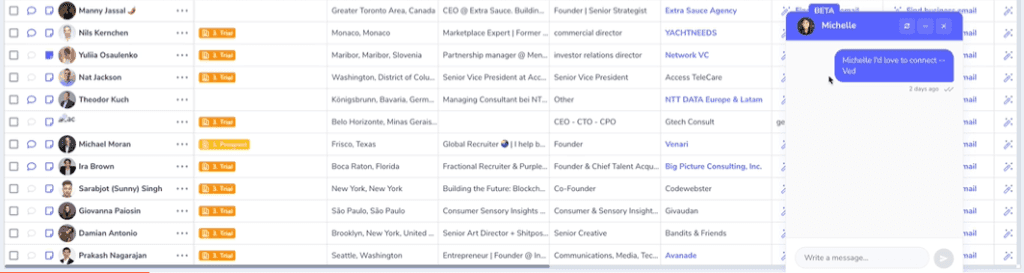
✨ What’s New:
- You can now send messages directly from the Contacts tab via a new Quick Message popup window.
- Click the message icon next to a contact to instantly open a mini inbox view – right inside your workflow.
💡 Why It Matters:
This update saves you time and keeps you in flow. Whether you’ve just connected with someone or need to follow up with filtered contacts, you can send or reply to messages without jumping tabs or interrupting your work.
⚡ Coming Soon:
We’re adding Templates to the Quick Message popup, so you can personalize and reply even faster, using your pre-saved messaging.
July 31st, 2025 – Quick Actions: 1-Click Filters to Save You Time

✨ What’s New:
- Four quick filters are available with just one click: 1st-degree connections Recently added contacts LinkedIn Sidebar imports Leads found via LeadSearch
💡 Why It Matters:
Whether you’re prospecting or managing your CRM, these quick filters help you instantly segment and take action – no more multi-step filtering.
July 24th, 2025 – Delete Saved Filters
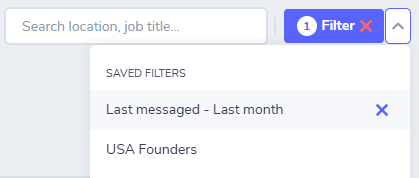
✨ What’s New:
- You can now delete saved filters from your workspace.
💡 Why It Matters:
Keep your workspace tidy and organized, especially after campaigns or list-building sprints.
July 17th, 2025 – Complimentary Enrichment Credits for All Plans
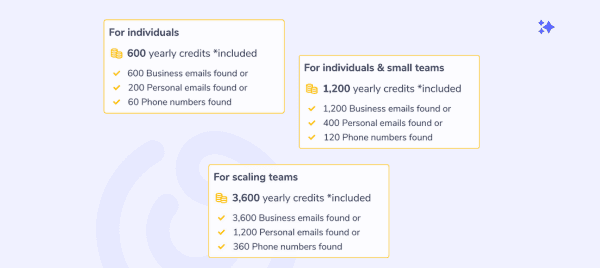
✨ What’s New:
- Every LeadDelta plan now includes free enrichment credits.
- Pro-rated amount based on your subscription renewal period.
💡 Why It Matters:
Start enriching contact data (business/personal email & phone) without buying credits upfront. Perfect for testing the waters or ramping up fast.
July 10th, 2025 – Sidebar Access for Starter Plan Users
✨ What’s New:
- Starter users now get full access to the LeadDelta LinkedIn Sidebar.
💡 Why It Matters:
Bulk-import, enrich, and organize leads without leaving LinkedIn – even on the entry plan.
June 24th, 2025 – Recurring Tasks
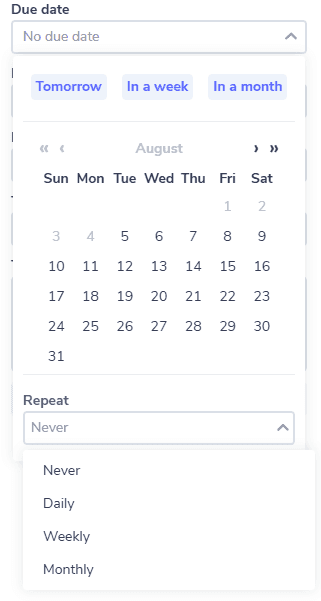
✨ What’s New:
- Easily create recurring tasks inside LeadDelta.
💡 Why It Matters:
Stay consistent with follow-ups and relationship-building.
June 23rd, 2025 – LeadSearch: Built-in Prospecting Tool
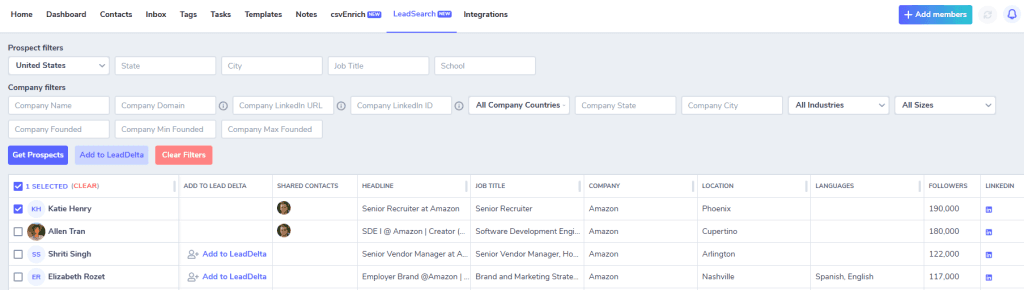
✨ What’s New:
- Search new leads using filters (job title, industry, etc.)
- Add → Enrich → Export-all in LeadDelta
💡 Why It Matters:
You no longer need to jump between tools or scrape LinkedIn manually. LeadSearch brings full prospecting inside your CRM.
June 19th, 2025 – Video Use Cases & Workflows
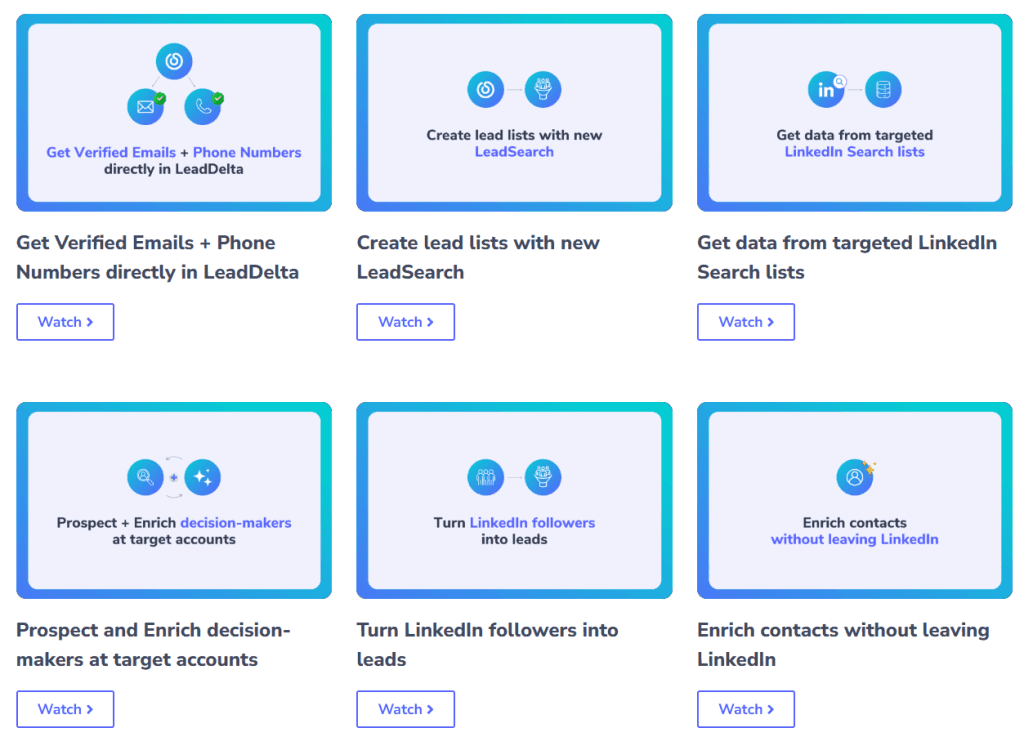
✨ What’s New:
- Watch short videos that walk you through: Enrichment Prospecting Networking workflows
- Constantly updated with new content.
💡 Why It Matters:
Learn by doing. These bite-sized demos show you exactly how to make the most of LeadDelta.
June 12th, 2025 – Sidebar Enrichment on LinkedIn
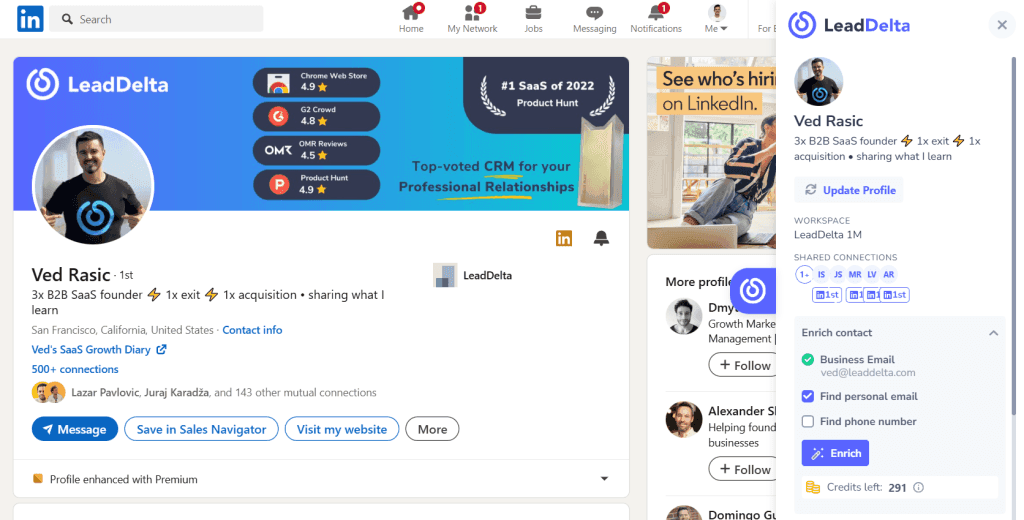
✨ What’s New:
- Enrich contacts directly on LinkedIn
- Works with 1st, 2nd, and 3rd-degree connections
💡 Why It Matters:
No more tab-switching or pasting URLs. Get verified data instantly – where you’re already working.
June 10th, 2025 – Pull Followers Using Sidebar
✨ What’s New:
- Pull your (or competitors’) followers from LinkedIn into LeadDelta
💡 Why It Matters: Build hyper-targeted lead lists from people already following you, or your competitors.
May 22nd, 2025 – Sidebar Bulk Add
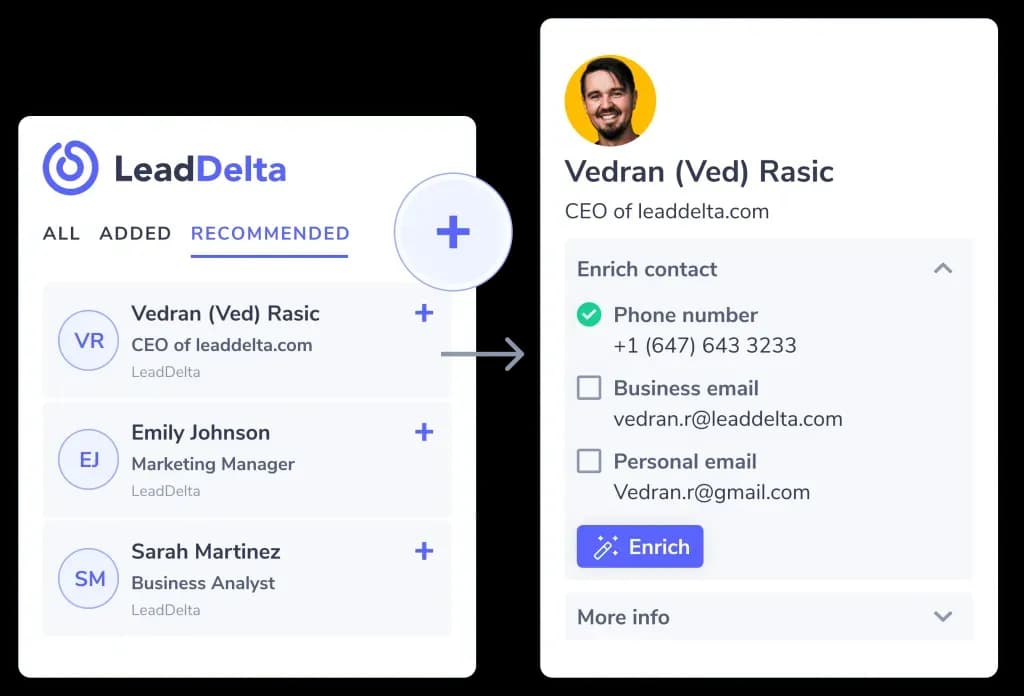
✨ What’s New:
- Bulk import 2nd/3rd-degree contacts from: LinkedIn search Company pages Event attendee lists
💡 Why It Matters:
Scale your outreach pipeline faster – without manual data entry.
May 16th, 2025 – New Contact Table
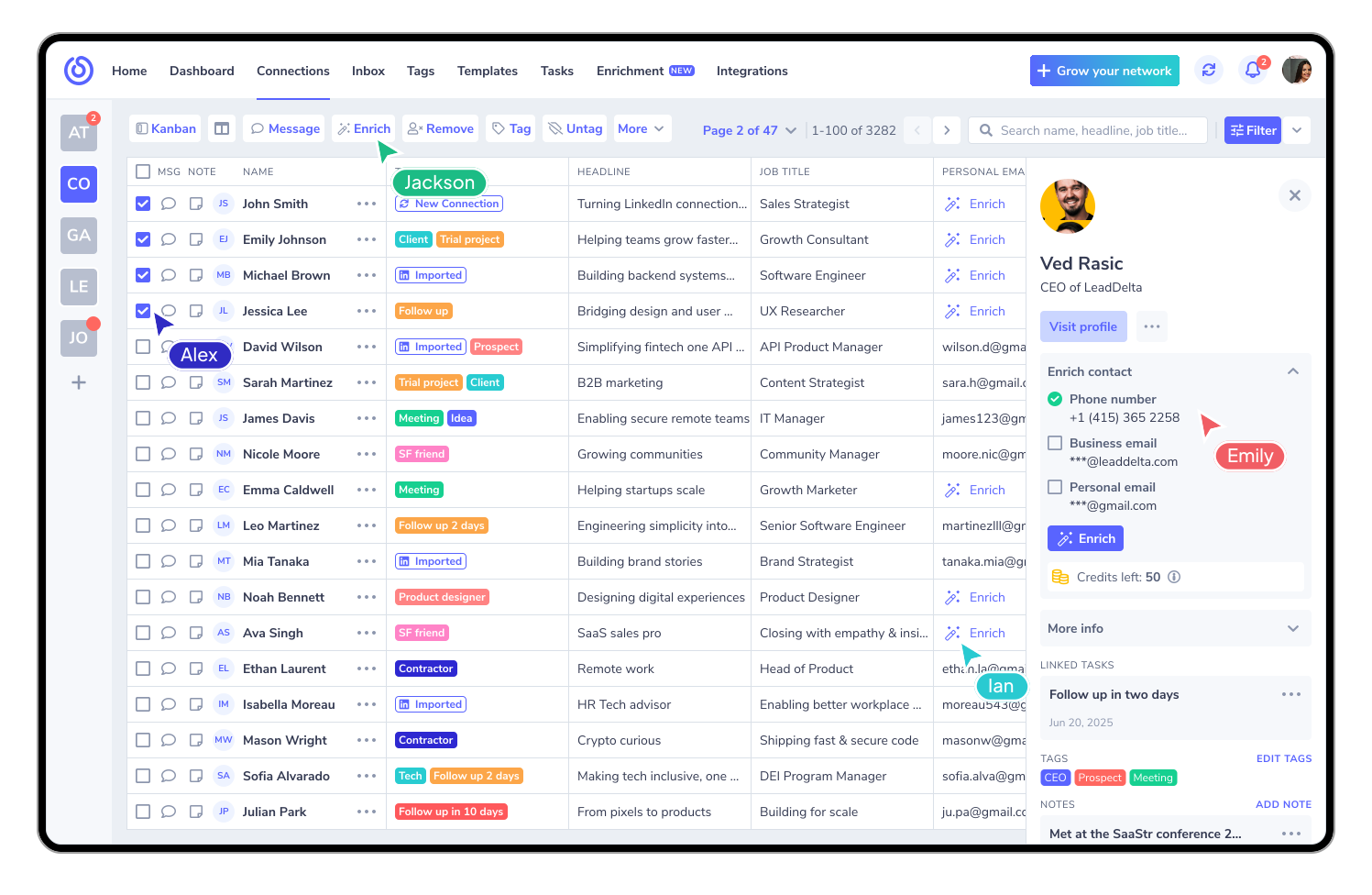
✨ What’s New:
- Revamped UI and performance
- Enhanced filters and sorting
- Expandable & movable columns
💡 Why It Matters:
Everything is faster and more customizable, making prospecting and segmentation a breeze.
May 14th, 2025 – LeadDelta Enrichment
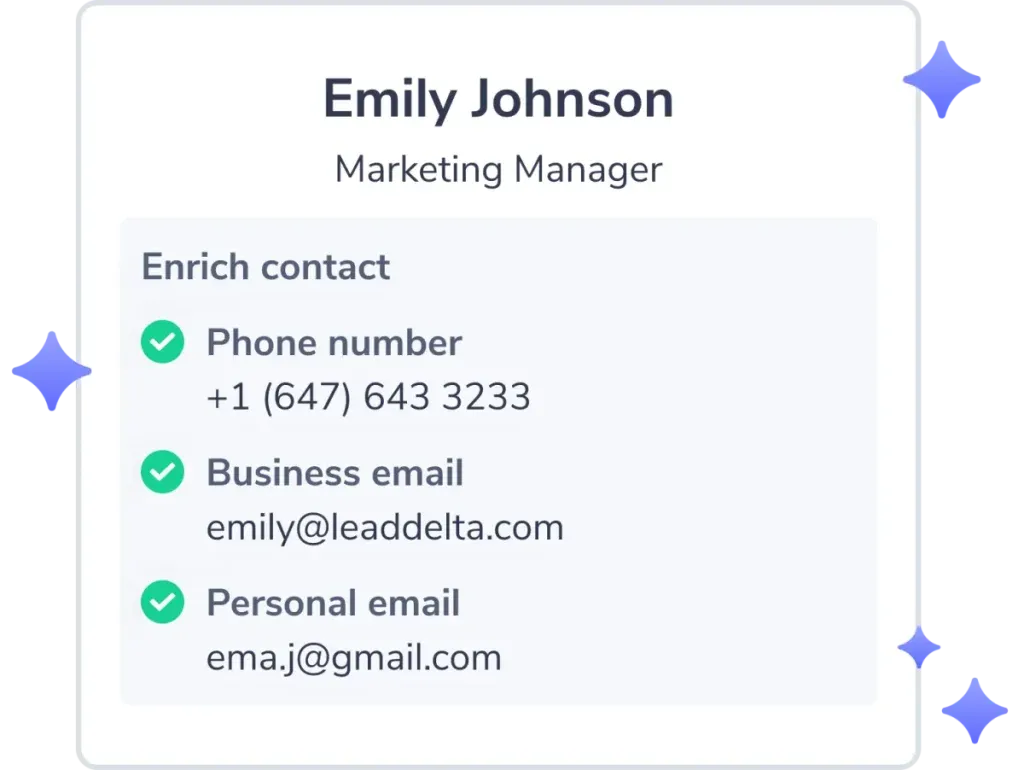
✨ What’s New:
Find verified: ✅ Business emails ✅ Personal emails ✅ Phone numbers
💡 Why It Matters:
Save time, get verified contact data, and grow your outreach – without ever leaving LeadDelta.
4 Ways to Enrich:
- Enrich single contacts
- Bulk enrich from your network
- Enrich via CSV upload
- Sidebar enrichment (LinkedIn)
April 10th, 2025 – Kanban + Company Enrichment
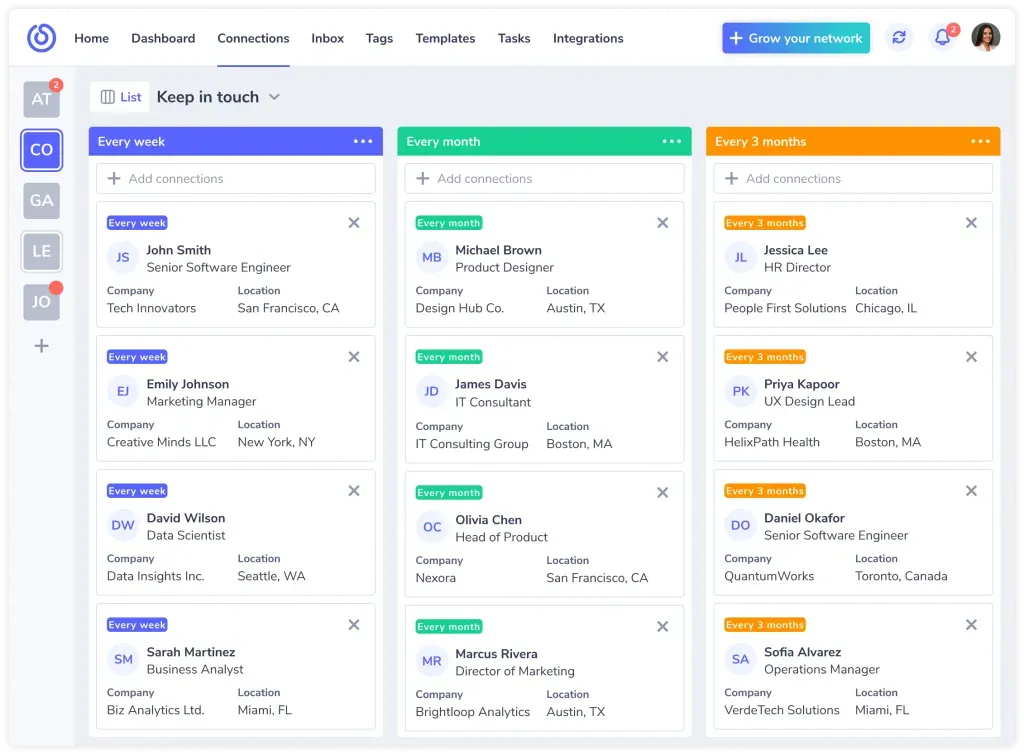
✨ What’s New:
- Kanban View for custom workflows
- Company Enrichment (Industry, Size, URL & more)
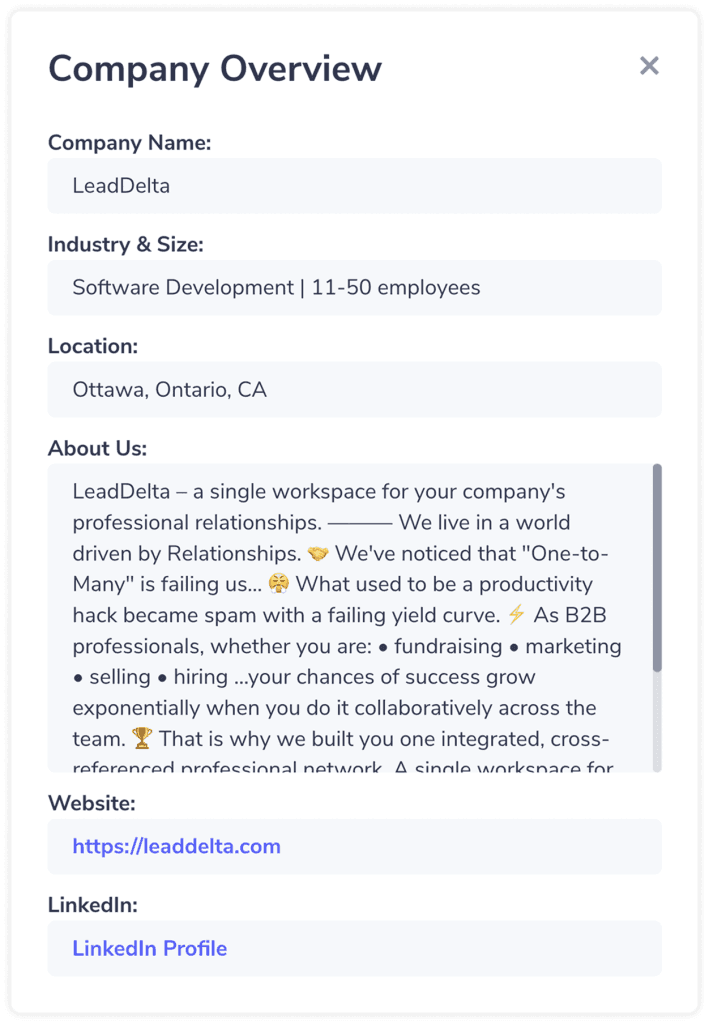
💡 Why It Matters:
Visualize your pipeline, move contacts between stages, and get more context instantly.
March 26th, 2025 – Invite Friends, Build Shared Workspaces
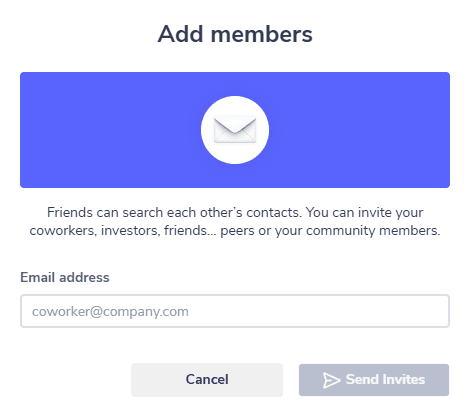
✨ What’s New:
- Invite teammates with one click
- Share tags, notes, filters, and mutual connections
💡 Why It Matters:
Create shared visibility and grow your “team network” faster.
March 20th, 2025 – Super-Fast LinkedIn Export
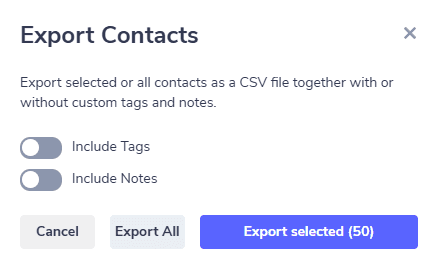
✨ What’s New:
- Export filtered connections in minutes
- Get clean CSVs for CRM upload or outreach
💡 Why It Matters:
Bypass LinkedIn’s slow, rigid export process.
March 13th, 2025 – Homepage Improvements
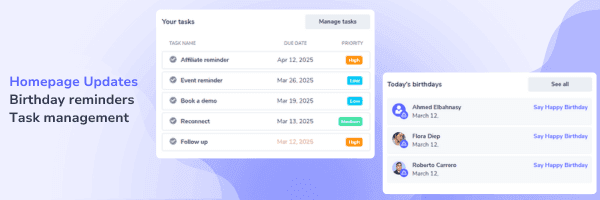
✨ What’s New:
- View birthdays → Jump to inbox to engage
- Task overview → Stay on top of follow-ups
- Simplified login/signup
💡 Why It Matters:
Start your day with what matters most.
January 16th, 2025 – Starter Plan Launch
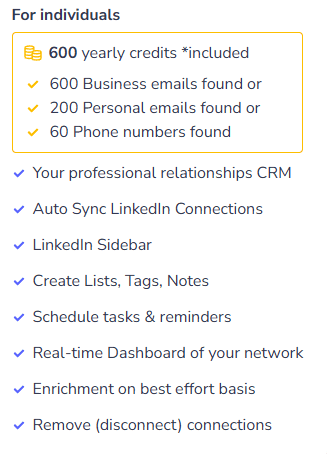
✨ What’s New:
- Simple, affordable plan with core features
💡 Why It Matters:
Ideal for solopreneurs, freelancers, and early-stage pros.
December 30th, 2024 – Conversation Status Filters
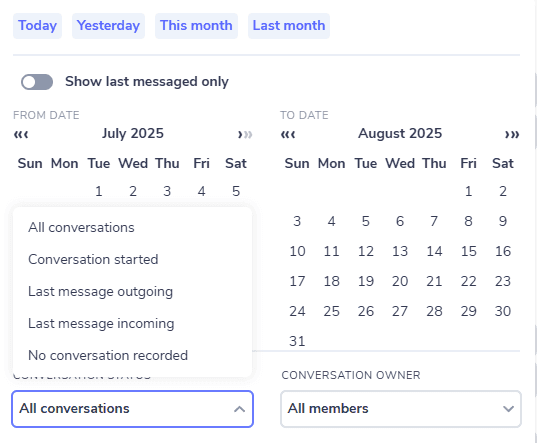
✨ What’s New:
- Filter by: Started conversations Last outgoing/incoming message No conversation recorded
💡 Why It Matters:
Target better. Follow up smarter.
December 24th, 2024 – Template Upgrades
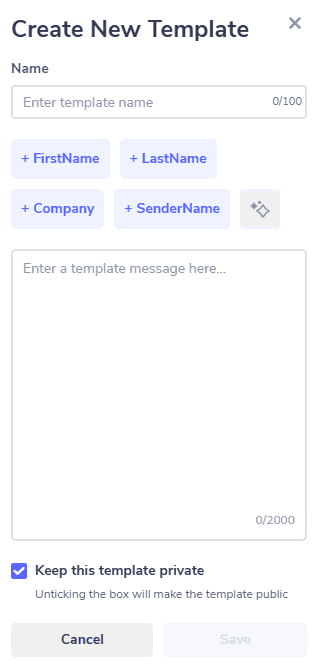
✨ What’s New:
- Public/private templates
- Bulk actions
- Improved search + filters
- AI assistant to generate text
- Personalization buttons
💡 Why It Matters:
Speed up LinkedIn outreach, standardize messaging, and collaborate across teams.
December 13th, 2024 – App Improvements
✨ What’s New:
- Bulk actions in tasks
- Auto-switch public → private tags/notes
- Tags sorted A–Z
- New connections sync during scheduled removal
December 5th, 2024 – Scheduled LinkedIn Connection Removal
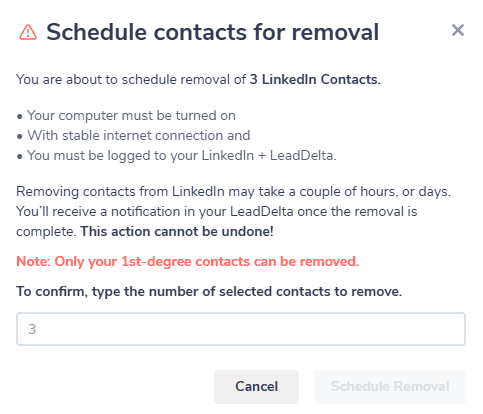
✨ What’s New:
- Automatically remove 1–80 connections daily
- Get real-time progress notifications
- Auto-tag contacts as “Scheduled” and “Removed”
💡 Why It Matters:
Clean your LinkedIn network without manual work.

