
If you’re working in B2B sales or marketing and using LinkedIn, you likely already know that “connect and hope for the best” won’t cut it. What you need is a repeatable strategy that turns LinkedIn activity into a measurable pipeline.
This guide walks you through a proven B2B LinkedIn strategy- how to identify, organize, engage, and convert the right people, and shows exactly how to do it inside LeadDelta.
By combining practical strategy with CRM discipline, you’ll move from “busy networking” to measurable results.
1. Define Your Target Audience and Ideal Connection Criteria
Before sending another connection request, clarify exactly who you want to engage with and why. This means building a precise profile for your target accounts and contacts.
Why it matters
- In B2B, the wrong connection profile means wasted outreach time and lost credibility.
- LinkedIn gives you broad targeting options, but without internal structure, you’ll struggle to convert.
- Once you know your target, everything else (content, messaging, follow-up) becomes aligned and efficient.
How to do it
- Define your target company size, industry, region.
- Define the exact person type: e.g., “VP Sales at SaaS company with 100–500 employees in US/EU”.
- Set criteria for “good connection” vs “bad connection”. For example: good = decision-maker, active on LinkedIn; bad = recruiter, insufficient budget.
LeadDelta in action
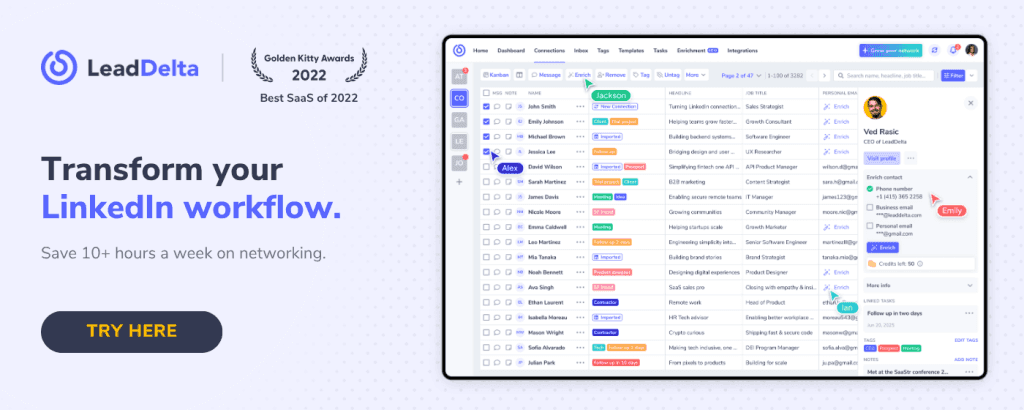
Once a connection accepts, you can instantly view, tag, note, and categorize them in LeadDelta- like “VP Sales – SaaS – UK.” These tags later make it easy to filter, find, and follow up on relevant leads.
👉 WATCH: How to organize your contacts using tags in LeadDelta
2. Build & Organize Your Connection Pool
Once your targeting is defined, it’s time to scale and organize your connection pool efficiently.
Common challenges
- LinkedIn contacts pile up quickly, making it easy to lose track.
- Prospecting on LinkedIn can be hard when you need to do it one by one.
- Exporting contact data is a long process.
- Manual organization (spreadsheets) wastes time and isn’t scalable.
How to implement
- Send relevant connection requests each week.
- When accepted, tag and note every contact (“Met at SaaS Event,” “Requested Demo”).
- Segment contacts into buckets: New, Engaged, Dormant, or Customer.
- Review weekly to update tags, remove dead connections, and plan follow-ups.
LeadDelta in action
LeadDelta provides a centralized CRM view of all your LinkedIn contacts- with filters, tags, and notes that keep everything organized.
But LeadDelta isn’t just a contact manager, it’s a full prospecting platform.
- The LeadDelta Sidebar lets you add and enrich people directly from LinkedIn, whether you find them via search, company pages, or events.
- The built-in prospecting tool LeadSearch gives access to a database of 500M+ LinkedIn profiles, letting you search for decision-makers using filters such as company size, industry, seniority, or location.
- You can add prospects to your LeadDelta workspace in bulk, tag them, and start engagement.
Example: You search for “VP Sales | SaaS | 100–500 employees | Europe.” In LeadSearch, you refine by region and seniority, find 75 qualified leads, and add them directly to your CRM. They appear in your workspace, where you can enrich them with personal & business emails and phone numbers, tag them, and export if needed.
👉 WATCH: Get data from targeted LinkedIn Search lists
👉 WATCH: How to create lead lists with LeadSearch
3. Engage Thoughtfully & Add Value
Connections are only the beginning. The real value comes when you engage them in a way that builds trust and opens paths to conversation and value.
Engagement tactics
- Comment and interact with relevant posts daily.
- Share insights that address your audience’s real challenges.
- Reference past conversations in your messages. If you noted “asked about resources” then reference it: “Hi X, thanks again for connecting, thought you might find this case-study about [relevant outcome] useful“
- Use reminders to stay on top of this, don’t let engagement sit idle.
LeadDelta in action
LeadDelta gives you two standout engagement tools:
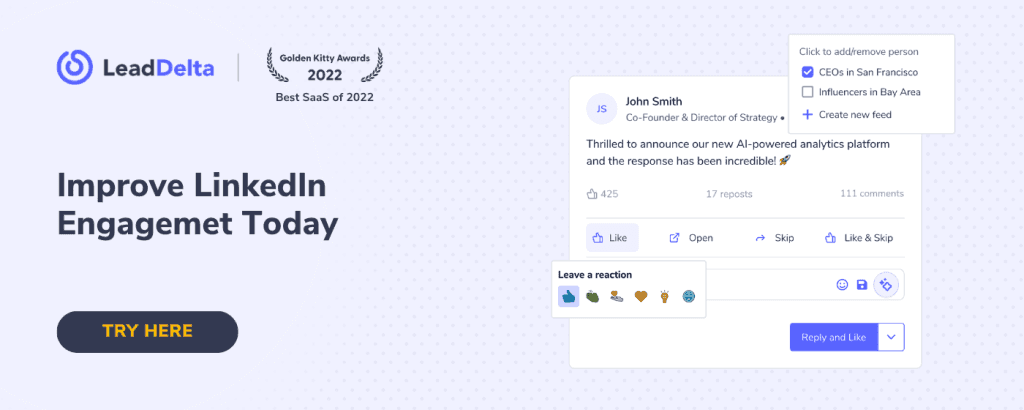
- Custom LinkedIn Feeds Create feeds to see only posts from people of interest, such as prospects, clients, or key influencers. Set engagement goals (e.g., comment on 10 posts/day) and track your progress in-app. This feature helps you stay visible and engaged without endless scrolling.
👉 WATCH: Engage smarter with custom LinkedIn feeds
- Smart Inbox All your LinkedIn messages, organized in one place. Tag, categorize, and template messages for structured communication. Send personalized bulk DMs to specific groups using tags or filters.
👉 WATCH: How to send bulk LinkedIn messages with LeadDelta
Example: Filter “ABM-Target” tag in Smart Inbox → select 20 decision-makers → send a tailored update about an upcoming event using a saved message template. Efficient, personal, and traceable.
4. Nurture, Track & Convert – Don’t Let Relationships Go Cold
Most LinkedIn strategies fail because follow-up is inconsistent. It’s easy to connect and send a message, but much harder to keep those leads moving toward a meaningful outcome (call, demo, opportunity).
What to watch
- When did you last message? Have you heard back? If not, what’s the next step?
- Are you tracking which leads remain “cold” vs “warming”?
- Are you setting and keeping tasks & reminders for follow-ups?
- Are you measuring how many connections become meaningful conversations?
Best practices
- Use notes to track context (“Looking for solution X in Q2/26”).
- Set reminders for 7-, 21-, and 45-day follow-ups.
- Update your pipeline bucket when they move: e.g., “Qualified-Interest”, “Demo Scheduled”, “Closed”.
- Review pipeline health monthly. What drop-offs exist? Where can you improve messaging or timing?
LeadDelta in action
LeadDelta provides several features designed to make nurturing effortless:
- Kanban Pipeline View: Move leads through visual stages: Connected → Engaged → Qualified → Demo → Closed.
- Notes, Tasks & Reminders: Keep every conversation contextual and actionable.
- Signals: Get notified when someone changes job or company, or check when you last messaged, so you can re-engage at the right moment.
- Team collaboration: organize the entire team activity.
👉 WATCH: Find targeted prospects within your team network
Example: You notice that a prospect just became “Head of Growth” at a new SaaS company. Perfect timing to reintroduce your product- LeadDelta reminds you automatically.
5. Measure, Refine & Scale
Tracking and refining your process ensures your LinkedIn strategy turns into a repeatable machine.
What to measure
- New connections per week (aligned with ICP)
- Connection acceptance rate
- Response rate to messages
- Conversion to calls/demos
- Pipeline velocity (days between first contact and booked meeting)
LeadDelta helps you scale
- Bulk tagging and message templates save hours.
- Prospecting Tool fuels top-of-funnel growth.
- Kanban and Signals protect mid-funnel health.
- Smart Inbox and Custom Feeds power bottom-funnel engagement.
The result? Consistent, measurable growth across your LinkedIn funnel.
6. Real-Life Use Case
Sales – Turning LinkedIn Connections into Qualified Pipeline
Profile: SaaS sales team targeting mid-market marketing leaders.
Strategy:
- Define ICP: “VP Marketing | SaaS | 100–500 employees.”
- Use LeadDelta Prospecting Tool to find decision-makers by industry and size.
- While browsing LinkedIn, add them via Sidebar and enrich contact details instantly.
- Use Custom Feeds to interact with their posts weekly.
- Engage via Smart Inbox using templates for initial outreach.
- Move opportunities visually through Kanban View.
- Reactivate with Signals when roles or companies change.
Results: After 90 days: 800 new contacts, 150 conversations, 40 demos, 6 deals closed. Impact: Structured outreach + visibility = reliable pipeline.
7. Common Pitfalls & How to Avoid Them
Even with a solid strategy, things can go wrong. Here are common pitfalls and how to sidestep them:
- Pitfall: Connecting broadly, without target criteria → results in a low-value network. Avoid by: Strict filtering and tagging as soon as you connect.
- Pitfall: Organizing your network manually (spreadsheets) → lack of scalability or lost data. Avoid by: Using a tool (like LeadDelta) that automatically imports, syncs, and allows tagging/notes.
- Pitfall: Failing to follow up → connections become inactive, leads drop off. Avoid by: Scheduling tasks and reminders, using filters for when you last messaged someone.
- Pitfall: Ignoring signals in your network, like a contact changing roles, joining a new company. Avoid by: Following signals in LeadDelta, reaching out with a congratulatory message, or reconnecting at the perfect time.
Using LeadDelta, each of these pitfalls becomes avoidable.
It acts as the operational backbone of your LinkedIn strategy-giving structure to every outreach, engagement, and conversion.
FAQs
Q: How many connection invites should I send weekly? A: Between 50–100 high-quality requests is sustainable. Focus on tagging and following up rather than just quantity.
Q: Can I combine Sales Navigator and LeadDelta? A: Absolutely. Use Sales Navigator for prospect discovery, then import and manage everything in LeadDelta for engagement and pipeline tracking.
Q: What’s the ideal follow-up cadence? A: 1st message within 24 hours of connection, follow-up after 7 days, then again at 21 days. Use reminders in LeadDelta to stay consistent.
Q: Is LeadDelta for individuals or teams? A: Both. It supports collaborative workspaces- great for sales, marketing, or recruiting teams managing shared networks.
Conclusion
A winning B2B LinkedIn strategy isn’t built on chance- it’s built on consistency, relevance, and structure. The combination of disciplined outreach, personalized engagement, and organized follow-up turns LinkedIn into one of your highest-performing channels.
LeadDelta makes this practical. It gives your LinkedIn network a CRM backbone, a prospecting engine, and engagement tools that keep relationships warm and moving.

