
How much time did you spend building up your LinkedIn profile with all the relevant skills you learned over the years?
Now imagine if you could emphasize those skills and back them up with credibility.
Enter LinkedIn’s skill assessment feature.
In this guide, we will go over everything you need to know about it so you can get ahead of the competition.
What Is LinkedIn Skill Assessment and How Does It Work?
LinkedIn skill assessment is LinkedIn’s feature allowing you to confirm the skills you’ve included in your profile by completing assessment tests related to those skills.
It consists of 15 time-limited multiple-choice questions that are testing different parts of your skillset and need to be completed in one session.
They help LinkedIn users distinguish themselves from others by demonstrating their knowledge.
Skill assessment tests are created by subject experts in LinkedIn’s learning community with extensive experience.
Especially if you are applying for new jobs over LinkedIn, resumes are great, but recruiters are looking at your LinkedIn profile to determine if you’re the right fit.
This is where skill assessments shine as they put you on recruiter’s radars.
For example, if you want to get a job at an accounting firm or at one of the companies that outsource accounting, then a majority of them require you to complete a skill assessment on LinkedIn.
What Is The Difference Between A Certification And An Assessment?
LinkedIn Skill Assessments are different than certifications as they don’t require you to complete any training or purchase anything.
They also don’t require any continuing education or other commitments from you after you take them.
You can do them for free with the knowledge you already have.
A great thing about LinkedIn skill assessments is that it takes less than 20 minutes to finish which is far less than watching a whole course and applying for a test.
How To Take A LinkedIn Skill Assessments Test?
Taking LinkedIn skill assessments is quite easy to get done and might bring you and your LinkedIn profile lots of benefits.
Here’s how:
- Scroll down your profile to the “Skills” segment, and hit the “Demonstrate skills” button.
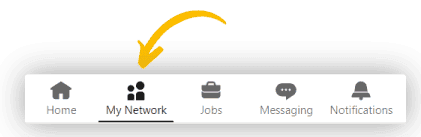
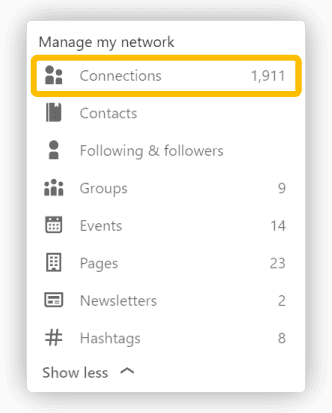
- Click on the “Skill Assessment” button.
LinkedIn will show you recommended skill assessments you should take based on your profile, but you can see all tests or search for specific ones using filters.
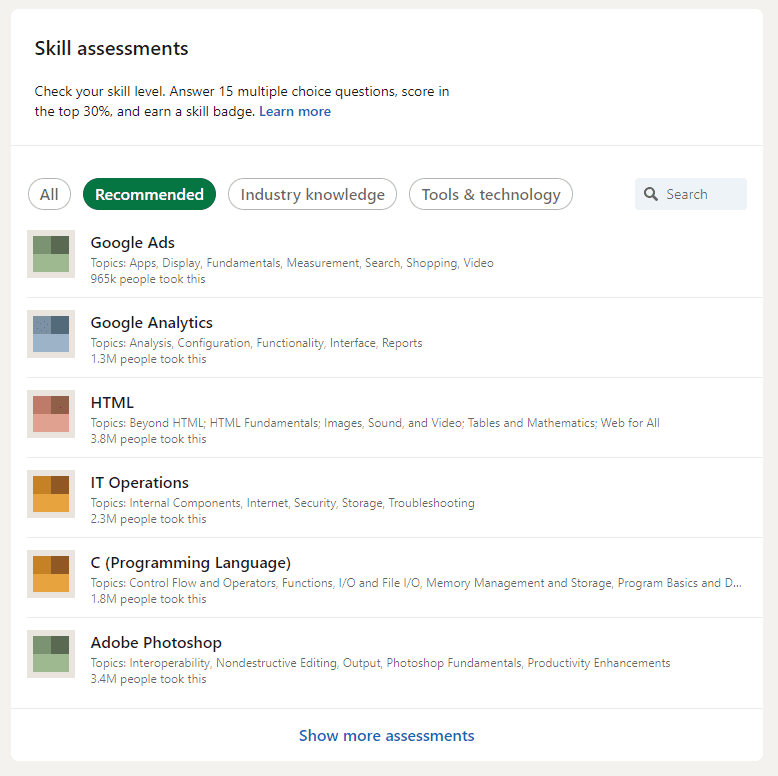
- Click on the specific test you want to take and start the test.
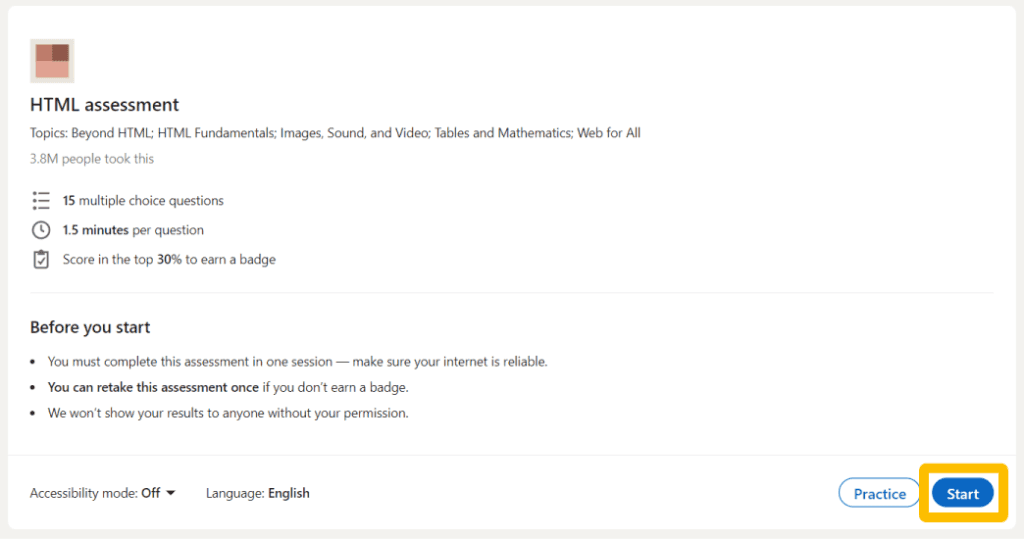
You will have 1.5 minutes to answer each of the 15 questions after which LinkedIn will determine if you passed the test.
You can also have a practice test. It consists of 2 questions giving you a sneak peek of the test without impacting your final score.
After finishing the test, you can choose to share the results on your profile for everyone to see or opt out of sharing them.
Note that if you score in the top 30% you will earn a badge in the specific subject for everyone to see.
Which Skill Assessments Are Available On LinkedIn?
LinkedIn is regularly updating its database of available tests as they take time to be made.
These tests are split into 3 categories: Technical, Business, and Design.
All the available tests can be found on this list of available skill assessments.
How Many Assessments Can I Take?
Skill assessment tests can be retaken once every 3 months if you didn’t earn a badge last time or you want to improve your score.
There is also no limit to the number of tests you can take, only the time limit between tests.
So in case you fail a test once, be sure to prepare yourself for the next time.
How To Prepare For LinkedIn Skills Assessment?
Before taking this test you need to prepare yourself as you can only take it once every 3 months.
Try taking practice tests to get an idea of what a skill assessment test looks like on LinkedIn.
Brush up on your chosen subject by revisiting your notes, courses, books…
Keep in mind that LinkedIn’s skill assessment doesn’t go too deep into a given subject, so there’s no need to study for days.
A pro tip is to use skill assessment answers to practice before you take a test.
Where Can You Find LinkedIn Skill Assessment Answers?
LinkedIn doesn’t offer skill assessment answers until you take the test and see where you answered wrong.
That being said, there are websites offering databases of skill assessment answers for free.
Some of them are:
Keep in mind that LinkedIn doesn’t support cheating on their skill assessment tests, so it’s recommended to use these answers for practice only.
Are LinkedIn Skill Assessments Worth It?
The short answer is YES.
The longer answer takes some explaining of the benefits you can experience if you finish your assessment.
Here’s what you need to know:
Benefits Of Completing Skill Assessments
Set Yourself Apart
LinkedIn is your digital resume and everyone can see your skills easily.
Most people don’t even know skill assessments are a feature on LinkedIn and don’t bother doing them, but including verified skills in your resume can demonstrate your expertise and give you an edge in job applications..
This will set you apart from everyone else as anyone can put down skills they have on LinkedIn, but very few can prove they have them.
Higher Profile Visibility
It’s no secret that LinkedIn loves complete profiles and skill assessments are one of its checkmarks for a complete profile.
People will be able to easily find you based on the skills you proved your knowledge in.
Especially if you are optimizing your profile for recruiters, they usually search through profiles based on skills.
Skill Development
If you are searching for a job, or just want to test yourself, skill assessments are a great way to test your knowledge.
Put yourself in front of industry-relevant questions and get an idea of how you stack in comparison to the whole LinkedIn community.
Remember that if you get into the top 30% based on your points you will be awarded a badge for that skill.
Conclusion
LinkedIn skill assessments are a great tool to boost your visibility, demonstrate your skills, and complete your profile.
They are a way of showing off your professional skills and expertise to potential employers and clients.
They give you an objective view of your skills and experience as compared to others in your field.
Before you get distracted with taking quizzes, remember that networking is the real game-changer.
LeadDelta gives you all the tools to take your networking game to the next level.

