
LinkedIn is a powerful platform for networking and building professional relationships.
At its core, networking on LinkedIn is about making new connections.
However, while connecting with people is great, it’s natural that some of those connections want to disconnect from us for various reasons.
Were you ever curious to see if someone disconnected from you on LinkedIn?
While LinkedIn doesn’t offer a way for you to see this information, there is a very convenient way to do so.
LeadDelta allows you to see who is disconnected from you on LinkedIn in just two clicks.
Let’s get right into it.
LeadDelta – See Who Disconnected You On LinkedIn
When first logging into LeadDelta, you will see an overview of all of your connections with many options to organize them.
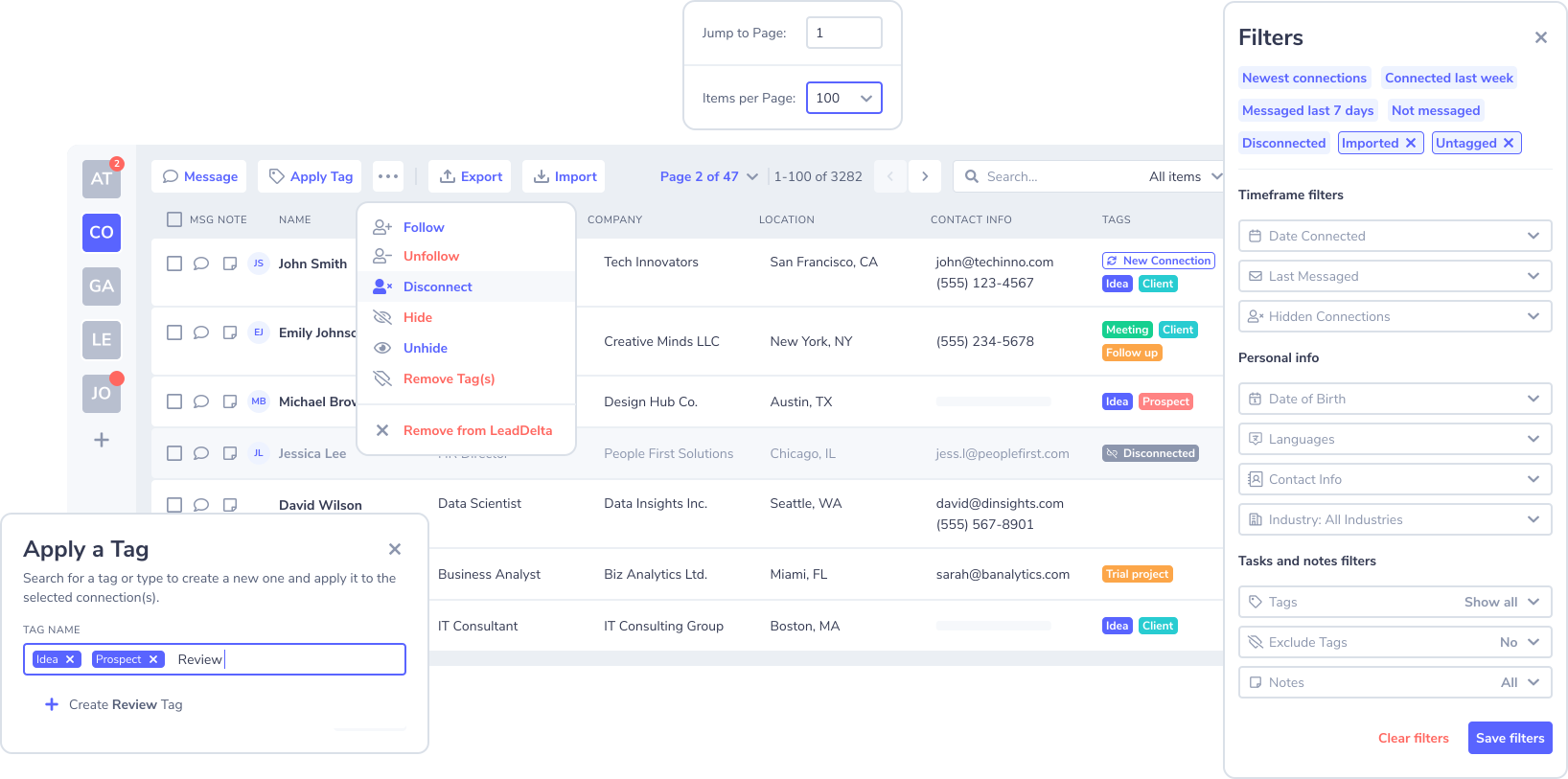
LeadDelta Tags allow you to categorize your connections into different groups.
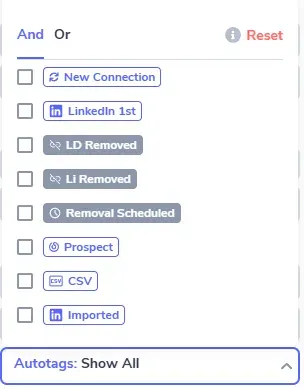
LeadDelta has three different types of Auto tags that will be interesting to you:
- Removal Scheduled – see who is in the process of removal.
- LD Removed – see who you have removed from your LinkedIn connection list using LeadDelta.
- Li Removed – showing who you removed/or who removed you on LinkedIn.
Here’s the best way to see who disconnected from you on LinkedIn:
- Create LeadDelta and sync your connections
- Always use the LeadDelta app when you want to remove a connection. This way, the tag LD Removed will show you who the connections are that you disconnected from.
- Filter for Auto-tag Li Removed. It will show you who has disconnected from you on LinkedIn. *Only works if you are following step 2 as we mentioned.
Disclaimer: LeadDelta doesn’t work retroactively, meaning you can only see who disconnected you from when you start using LeadDelta onward.
What Do You Gain By Knowing Who Disconnected You On LinkedIn?
Now that you know how to see who disconnected from you on LinkedIn, what should you do with this information?
There are 2 key ways you can interpret this information:
- Review the profiles of those who disconnected from you. Was there a reason why they disconnected?
- Take note of any trends. Are you seeing a lot of disconnections in a short period? This may be a sign that you need to review your networking goals or strategy.
By understanding who disconnected from you on LinkedIn, you can better manage your network and strengthen the relationships you have, or change your approach with people.
Just keep in mind that there are many reasons why one might disconnect from you.
Why Would Someone Disconnect You on LinkedIn – 5 Reasons
We’re all human, and there are many reasons to break up a relationship with someone, and the same goes for LinkedIn.
Knowing the most common reasons someone disconnects you on LinkedIn is valuable information for adjusting your networking strategy.
The most common reasons are:
- Lack of interaction – Most people only stay connected with a select group of people they are actively engaging and conversing with.
- Disagreements – If individuals find themselves in a situation where their values or beliefs clash with a connection, they might opt to disconnect.
- Change of strategy – Our networking strategies are ever-evolving, and they require us to change the groups of people we are connecting with.
- Spamming – You might have come across as too salesy, or messaged a person multiple times, and they wanted to stop receiving messages from you.
- Short-term goal – Many people connect with someone to try and achieve their personal goals, after which they don’t need to be connected with the person anymore.
We recommend you keep your network clean and up-to-date with your goals. You can use LeadDelta to remove your LinkedIn connections in bulk.
How to Prevent Being Disconnected on LinkedIn
- Regularly engage: Interact with connections by liking, commenting, or messaging to maintain an active relationship.
- Avoid spammy behavior: Follow LinkedIn’s guidelines to avoid activities that could trigger platform suspicions.
- Keep your account secure: Regularly update passwords and enable two-factor authentication to protect against unauthorized activity.
Frequently Asked Questions (FAQs)
Can LinkedIn automatically disconnect me from a contact?
Yes, LinkedIn may automatically disconnect you if either party is suspended or banned, or if the connection engages in suspicious activity.
Does LinkedIn notify me when someone disconnects me?
No, LinkedIn does not send notifications when you are disconnected from another user.
How can I recover lost LinkedIn connections?
You can re-establish lost connections by sending a new connection request, provided the other user’s account is still active.
Can disconnections harm my professional profile?
Frequent or sudden disconnections might slightly impact your network visibility and potential opportunities, but actively managing your network mitigates these risks.

