
In the vast LinkedIn network, we are constantly connecting with new people and looking for new opportunities.
But sometimes we can get lost in growing our network that we forget when we connected with someone and why.
Knowing when you connected with someone is very important when it comes to personalization and connection management.
Luckily, you can easily check this information.
How To See Connection Date On LinkedIn
LinkedIn allows you to see the date you connected with someone when visiting their profile alongside other information.
It’s pretty easy.
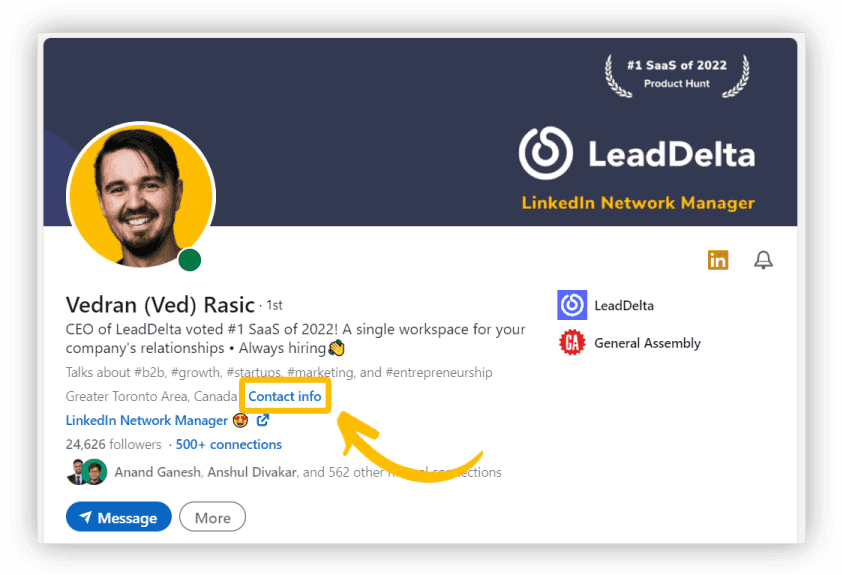
- Search for the connection you want to check and click on their profile.
- While on their profile look for the “Contact info” button and click on it.
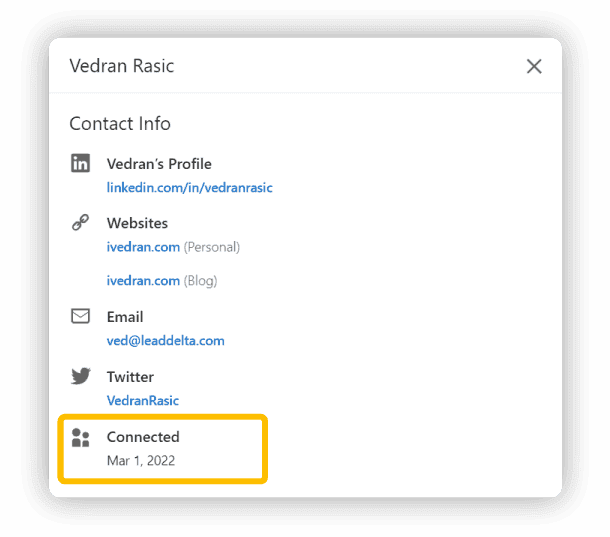
- A window with their publicly available information will pop up where you can see the exact date you connected with them.
How to See Recent Connections on LinkedIn
You can also view your connection history on LinkedIn and see who you recently connected with.
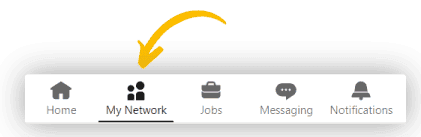
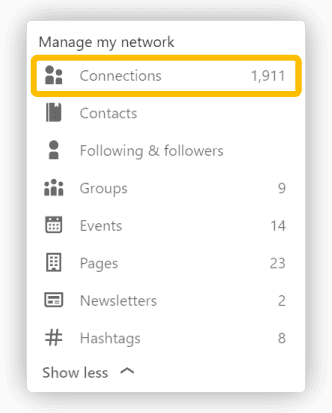
- Click on the “My Connections” tab.
- Click on the “Connections” window.
- Sort connections by “Recently added”.
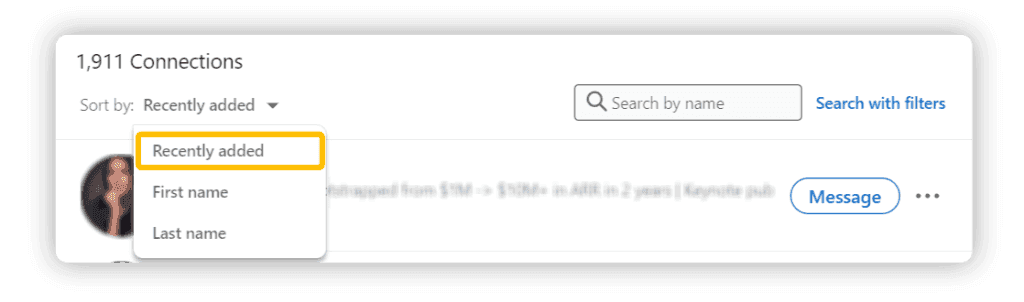
This allows you to see the order you connected with connections in your network.
But while these two options give you useful information they have 3 huge flaws:
- You need to click on individual profiles one at a time to see when you connected with them which is inefficient if you want an overview of your whole network.
- You can only view your connection history from your most recent connection without the ability to segment your network by the date connected.
- Whenever you want to see this information you have to go through the same process or have a separate window open.
There is a much more efficient way that gives you more information and context behind knowing when you connected with someone.
How To See When You Connected With Someone With LeadDelta
Imagine having a central place for all of your connections with their data at your fingertips.
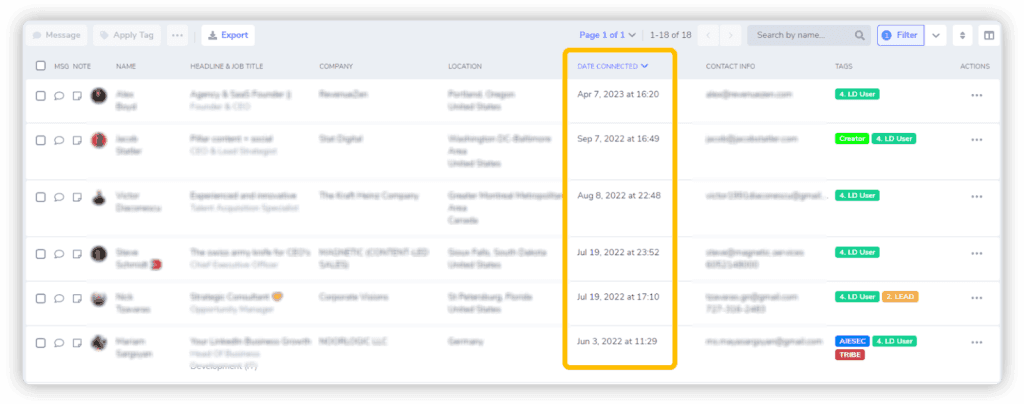
Enter LeadDelta’s connection manager which displays your whole network in a table view.
This also includes the information about when you connected with specific connections.
You can now freely scroll through your network and see when you connected with your connections without the need to view their profile.
But this can be taken a step further.
With the Filter options you can click on Newest connections, Connected last week, or even set a specific time frame to see users you connected with during that time.
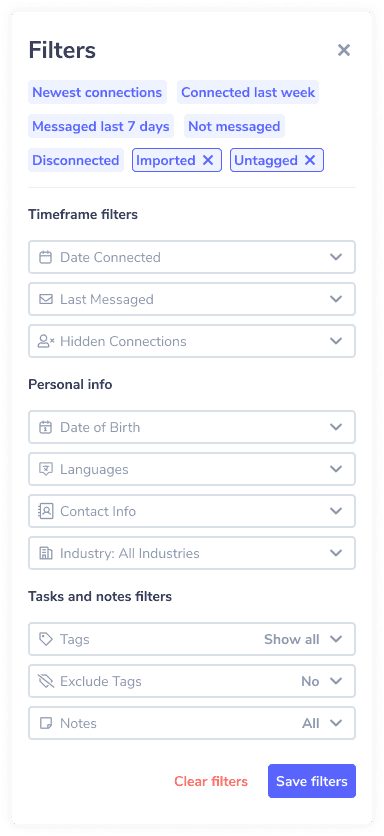
But this is only one Filter, you can combine it with 15+ other filters and sorting options to really hone in on the connections you are looking for.
How Can You Use This Information?
There are many uses to knowing when you connected with someone on LinkedIn.
Take a look at our top 3:
Creating Campaign Lists
If LinkedIn is your primary source for sales, marketing, and recruiting, then it’s important to know when you connected with someone.
Let’s say you are doing a campaign for your leads from March 2023 and informing them about new features you developed.
You could Filter your network by a custom “LEADS” Tag and the whole month of March.
Export your list of connections and plug it into your sales tool and you can get personal by mentioning when you connected or when they tried your product/service.
This can also be done if you are a recruiter looking for specific roles.
If you are to hire C# developer, for example, you can revisit past candidate lists to identify qualified professionals who may now be available or more receptive to your offer.
Filtering for this month will give you a list of candidates you overlooked or that weren’t interested in the position that you can reach out to again.
Personalization
One of the best ways to get someone to like you is to be unique and remember little details about your relationship.
Imagine conversing with someone and mentioning something along the lines of:
“Hey {{firstName}}, did you know we connected back in March 2018? We have known each other for 5+ years, sounds crazy…”
Or remembering how you met on a certain date.
You can get this information without leaving the conversation.
Just open the Sidebar in your Smart Inbox and look at the date you connected.
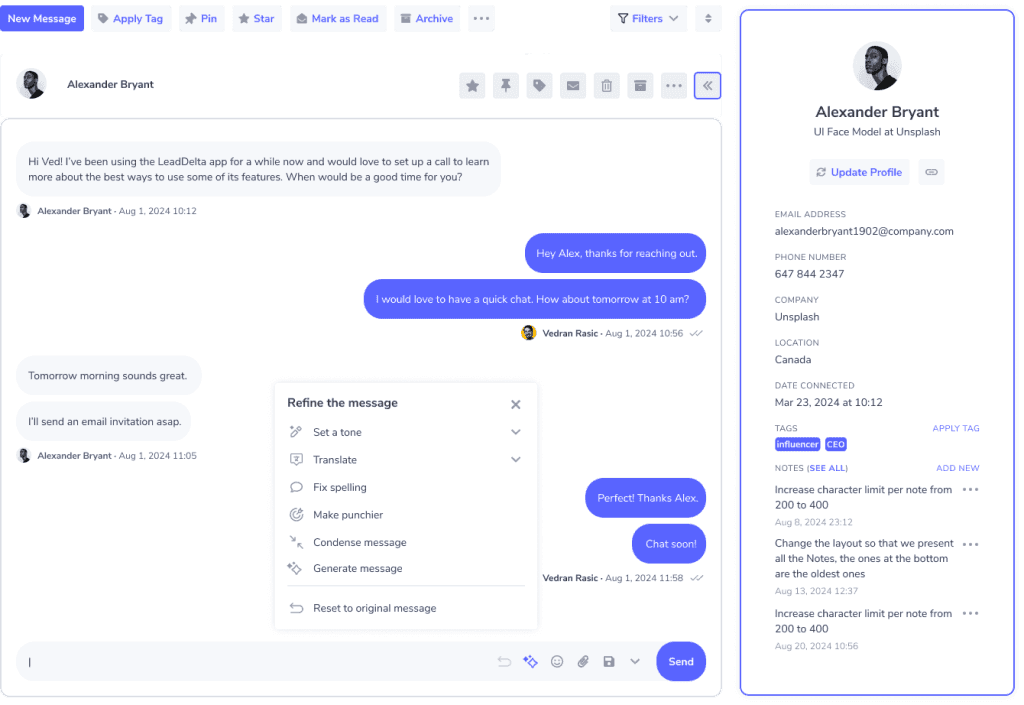
Use LeadDelta Smart Inbox to directly reach out to them.
And if you need help, just use our AI message builder and it will craft it in no time.
These little details make all the difference in building long-lasting relationships and opening new doors for you.
Cleaning Old Connections
There are certain periods in our LinkedIn career when we want to grow our network fast.
This may be due to us looking for a new job, seeking to get to 500+ connections fast, or just wanting more connections.
The problem is that these connections are usually “ghost connections” that hurt your network in the long run.
The best thing you can do is remove these connections from your network.
- Filter your network for the specific period you connected with many new users.
- Select connections you think of as irrelevant.
- Bulk disconnect with them using LeadDelta.
You can repeat this for different periods of time and clean your network leaving only relevant connections.
Conclusion
To achieve the greatest results from your networking efforts you need to have all the information about your connections.
Knowing when you connected with someone on LinkedIn is one data point that can help you leave a personal touch, clean your network, or find out something you didn’t know about your network.
But it’s only one data point and there’s much more you can do with your network in which LeadDelta will be your greatest asset.

