
If you’re open to new work opportunities, you might be wondering what is the most critical thing you can do to enhance your LinkedIn profile.
The solution is straightforward. You must inform recruiters that you are available for work.
LinkedIn’s configurable #OpenToWork feature makes this a breeze for you.
Here’s how to use it to let recruiters know you’re open on LinkedIn.
How does #OpenToWork function?
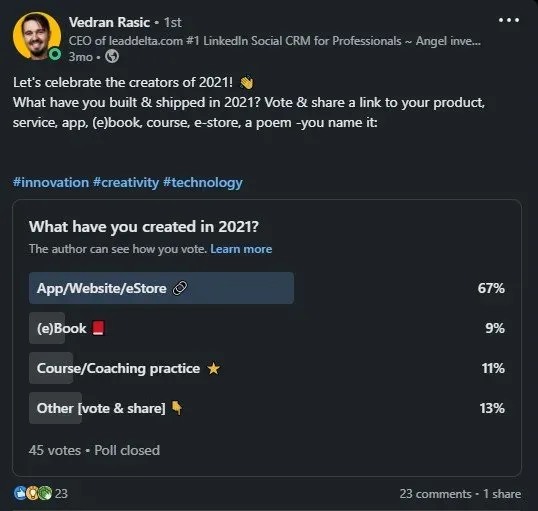
If you’re looking for a job, you may use LinkedIn to let recruiters and your network know you’re interested in new opportunities.
Once you set up this feature, your profile will appear in search results when recruiters are looking for potential job applicants if you mention the types of career opportunities you’re interested in and your chosen location.
If LinkedIn detects that you aren’t responding to recruiter InMails, they will send you an email to confirm whether you are still looking for work. If they don’t hear back from you, they’ll disable the #OpenToWork option in your profile until you personally enable it again.
How to Set up #OpenToWork
To let recruiters know you’re open on LinkedIn, go to your profile and select the ”Open to” button below your profile photo.
After that, you’ll be taken to a pop-up that will collect your information. It’s best to fill out every section if you want the best results.
You’ll want to include specifics like job titles, job Locations, type of workplace, start date, and job types to recruiters, in addition to stating that you’re Open to Work.
Here’s how to fill out each of these categories.
Job titles
You can list the job titles you’re interested in under this section. Click on ”Add title +” and as soon as you start typing the job title, LinkedIn will begin the autofill process. Simply click on the job title you’re looking for, and a bubble with that title will appear. You can add up to five job titles.
Workplaces
After that, you can choose whether to select or leave unchecked your willingness to work remotely. You have three options: on-site, hybrid, and remote. Simply select the options you prefer. Once selected, the buttons will turn green.
Employment locations
The third section allows you to choose the areas you are willing to work in. LinkedIn will automatically populate and verify your current location. You’ll have the opportunity to deselect that location and add new ones if you like. Again, there is a maximum of five destinations that can be added.
Start date
You can choose if you want to start a new job right away (actively applying) or whether you’re flexible about the start date (casually browsing),
Job types
You can select whether you are seeking full-time, contract, part-time, internship, or temporary work in this section. You are not limited to one response; you may select any or all of the possibilities.
Confidentiality
Finally, you have the option of choosing who can see that you’re available for work. Once you open the dropdown menu in the last section, you’ll have two options — all LinkedIn members or Recruiters only.
If you choose the top option, All LinkedIn Members, recruiters, and potentially even employees from your firm will be included. The #OpenToWork frame will be added to your profile photograph as well.
If you select the second option, only people who use LinkedIn Recruiter will be able to see that you expressed interest in new opportunities. LinkedIn takes precautions to protect your privacy by preventing LinkedIn Recruiter users at your current company from viewing your open to work.
Although this feature does help protect privacy, keep in mind that LinkedIn can’t guarantee that recruiters from your company won’t be able to find this information.
What else can you do?
If you’re open to hearing about new opportunities, think about dropping your LinkedIn connections a message. Let them know what job types you’re interested in, what locations you’re willing to relocate to, and what kind of work culture appeals to you.
You can also ask those you know to write a short note endorsing your skills.
To make this process much faster, you can use LeadDelta to reach out to your connections.
LeadDelta enables you to use tags to easily filter connections and send bulk messages using a customizable template to make this process much faster.
Additionally, our Inbox feature will help you keep better track your LinkedIn inbox and stay on top of the responses you get.

