

Hanneke Vogels is a seasoned sales industry veteran and a Founder & Sales Technology Director at Stryfes.
Her team helps sales teams implement new technologies that automatically handle tasks and let them focus on helping customers.
As Hanneke says “Lead generation is the most important part of sales.”
Sales teams need to have a consistent flow of high-quality leads for them to work with.
For her, the biggest source of leads comes from social selling on LinkedIn.
But social selling is a complex process and she ran into a challenge.
“There’s so much to do and LinkedIn is not helping you.”
The Challenge With Social Selling on LinkedIn
In her process, Hanneke utilizes many tools as she says that there’s no single tool that can handle the whole sales process.
That’s why she uses multiple tools to perform various tasks:
- Lead generation
- Data management
- Outreach campaigns
- Team communication
They allow her to have a constant stream of leads and conversations.
But this provided its own set of challenges:
- There were too many conversations without a way to manage them
- The data wasn’t integrated between every tool being used
- It was time-consuming to manually operate every process
How Hanneke Solved Her Challenge
Hanneke was looking for a new tool that would help her manage all of her social selling activities in one place.
This tool also needed to be easily integrable into her current workflow.
Connect -> Push Through Campaign -> Import Into CRM -> Sell
That’s when she came upon LeadDelta.
Her team is now using LeadDelta as the central platform for all conversations as the smart inbox lets them manage their conversations with Tags and Filters.
The other aspect of their workflow is integrations that save them hours every week on repetitive tasks.
Connecting Everything Together
Hanneke’s team utilizes Zapier Integrations to link their tools with LeadDelta and create automated workflows.
With a simple Tag, they are able to trigger different actions like automated campaigns or data exports.
Currently, they are using three core integrations in their workflow.
Watchers
Hanneke and her clients use Monday as their central hub for all team communication.
With its boards, everyone on the team can be informed about new leads and take over communication with them.
To do this, Hanneke created Tags in LeadDelta for different occasions she calls Watchers.
Hanneke uses four types of Watchers:
- Lead Watcher – Imports the lead into Monday for someone to take them over
- Hot Lead Watcher – Imports the lead into Monday with a high-priority status
- Meeting Watcher – Informs the team that she set up a meeting with a lead
- Respond Watcher – Informs the team that a lead needs a response to their question
Every time one of these Tags is applied to a connection inside LeadDelta the appropriate action is immediately triggered.
Lead To Campaign
Hanneke’s team uses LinkedIn as their main source of leads by utilizing Meet Alfred’s automated campaign sequences.
Once her team qualifies a lead, they are imported into a campaign that sends automated messages and follow-ups to warm them up.
Her team has multiple LeadDelta Tags for different types of leads:
- Clients
- Partners
- Product Buyer
Whenever one of these Tags is applied to a connection they are imported into the appropriate messaging campaign.
Data To CRM
Hanneke’s team uses HubSpot as their CRM platform to centralize leads from different platforms (email, LinkedIn, Twitter…).
Through integrations with LeadDelta, they can import all connection data into HubSpot with a simple Tag.
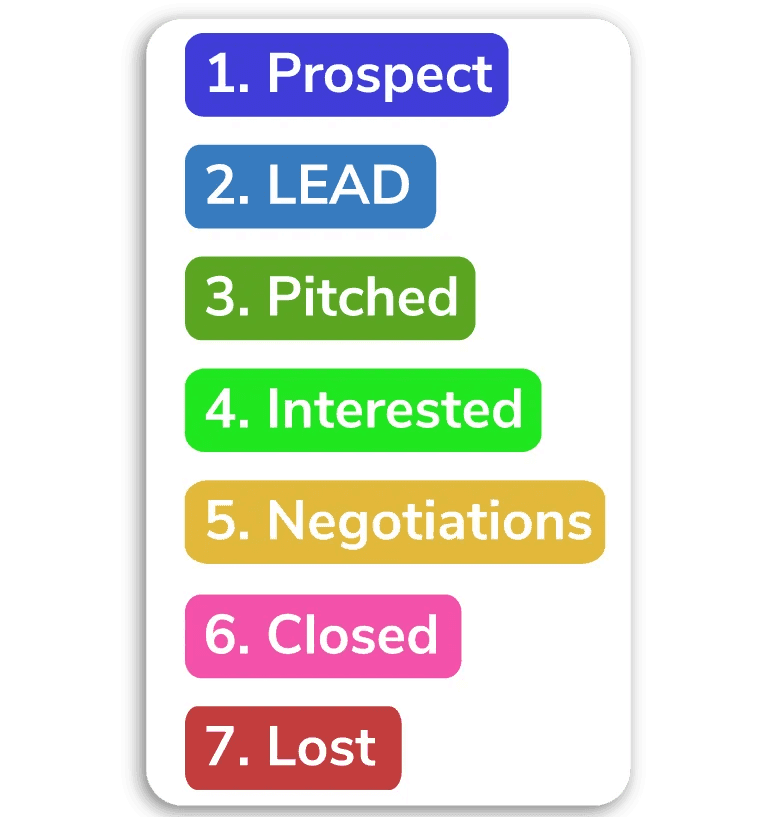
Her team created multiple Tags that automatically import connections into different parts of the pipeline.

In her experience, the same integration and workflow worked for teams that utilized other CRM platforms like Salesforce or Pipedrive.
The Result
Hanneke’s team built an interconnected system of tools that save them valuable time.
They don’t have to switch between tasks and worry if the right person got the right message.
LeadDelta became a part of their operation and is being expanded on.
They are always looking for new ways to connect LeadDelta to more tools that can improve their business.

