
Whether you’re managing venture capital connections, or engaging with limited partners, LinkedIn is a central hub for your work. But LinkedIn alone isn’t enough – you need a way to organize, filter, and engage with your network effectively.
That’s where LeadDelta comes in, helping you stay organized, build relationships, and drive investment opportunities forward.
Let’s break down how LeadDelta simplifies investor relations and why it’s the best LinkedIn CRM for VCs, angel investors, and fundraising professionals.
Why Investors Need a LinkedIn CRM
Investor relations is all about managing relationships at scale. Whether you’re:
- A venture capitalist tracking potential startup investments
- An angel investor organizing founder connections
- A fundraising professional maintaining relationships with LPs and institutional investors
Your ability to quickly find, engage, and follow up with the right people is crucial. The problem? LinkedIn’s native tools are limiting:
- You can’t efficiently filter and segment your connections
- Messages get buried in inbox clutter
- There’s no built-in system for tracking interactions or follow-ups
- Manually keeping notes on investor conversations is time-consuming
LeadDelta fixes these problems by turning LinkedIn into a powerful, structured CRM, helping you manage investor relationships with precision.
How LeadDelta Helps in Investor Relations
1. Simple Interface for Fast, Organized Networking
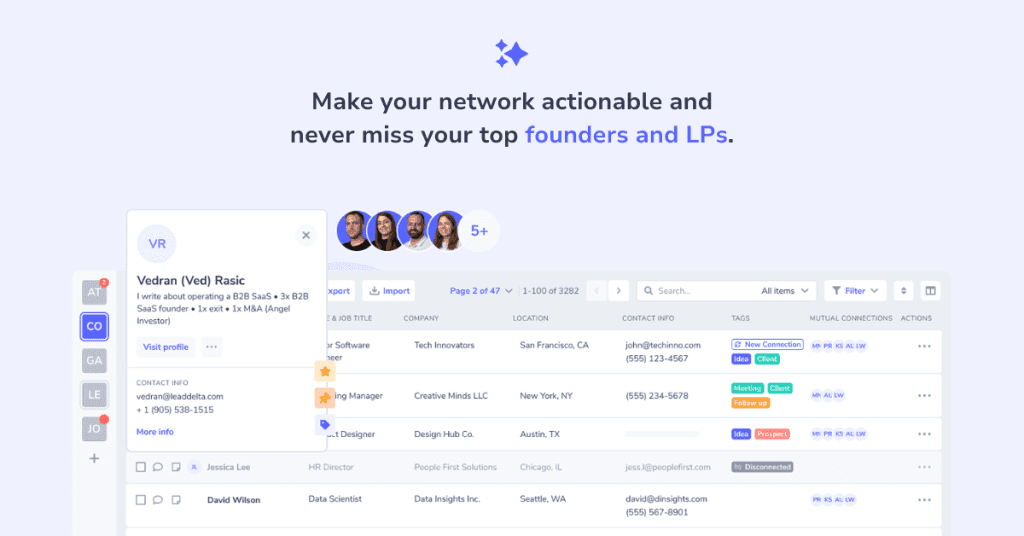
LeadDelta removes distractions and gives you a clean, spreadsheet-like view of your LinkedIn connections. Instead of scrolling endlessly through LinkedIn’s default interface, you can:
✅ See all your connections in one place (name, company, title, location, etc) ✅ Sort and filter to quickly find investors, founders, or LPs ✅ Customize columns to display only the information that matters
🔹 Example: You’re a VC with 2,000+ LinkedIn connections. Instead of manually searching through profiles, LeadDelta lets you view all important data in a single table.
This streamlined view means you can spend less time searching and more time building relationships.
2. Advanced Search & Filters to Find the Right People
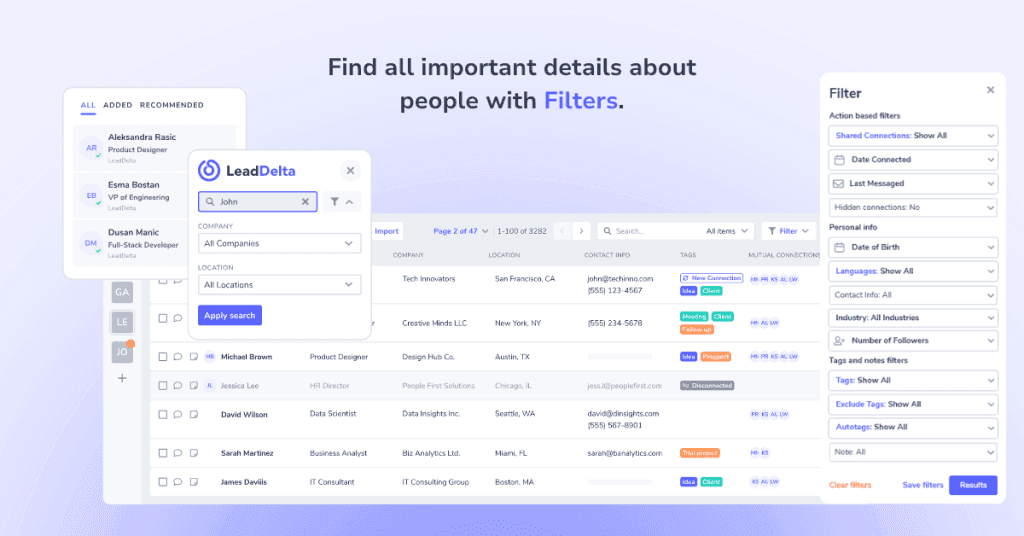
The right people won’t always be at the top of your LinkedIn feed. LeadDelta’s advanced search and filters help you pinpoint connections fast:
🔍 Filter by:
- Job title (e.g., ”VC,” ”Angel Investor,” ”General Partner”)
- Company (e.g., ”Sequoia Capital,” ”Andreessen Horowitz”)
- Location (e.g., ”San Francisco, New York, London”)
- Industry (e.g., ”Venture Capital & Private Equity”)
- Recent interactions (e.g., last messaged, last connected)
- + 10 more filtering options
🔹 Example: You want to list all startup founders in New York that you are connected with. Instead of searching manually, LeadDelta lets you filter by location + industry + job title – giving you an instant list of relevant founders.
With these tools, you can stop scrolling and start engaging with the right people.
3. Tags for Labeling & Categorizing Relationships
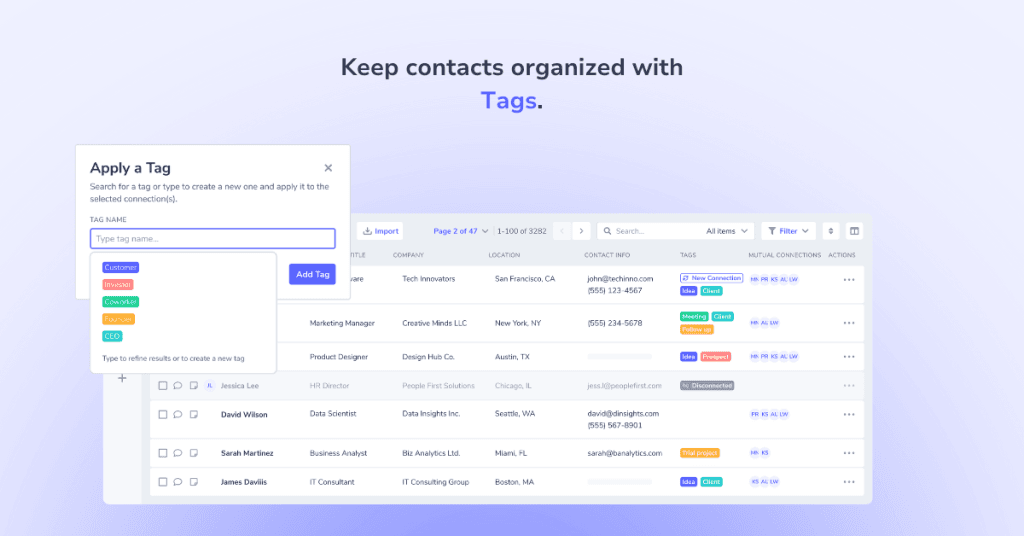
Investor relations isn’t just about making connections, it’s about managing them effectively. LeadDelta’s tagging system helps you categorize investors based on their role, interest, or funding stage.
Common investor tags:
- 🔵 ”Early Stage Founders” (based on the round)
- 🟢 ”Angel Investor”, ”VCs” (based on the type of investor)
- 🔴 ”Follow Up” (based on networking status)
- 🟡 ”Met at TechCrunch” (based on events)
🔹 Example: You just met 10 founders at an industry event and connected to them on LinkedIn. Instead of losing track, you tag them in LeadDelta (e.g., ”Met at Web Summit”).
With tags, your LinkedIn network becomes a structured, searchable database for investor relationships.
4. Tasks to Organize Follow-Ups & Next Steps
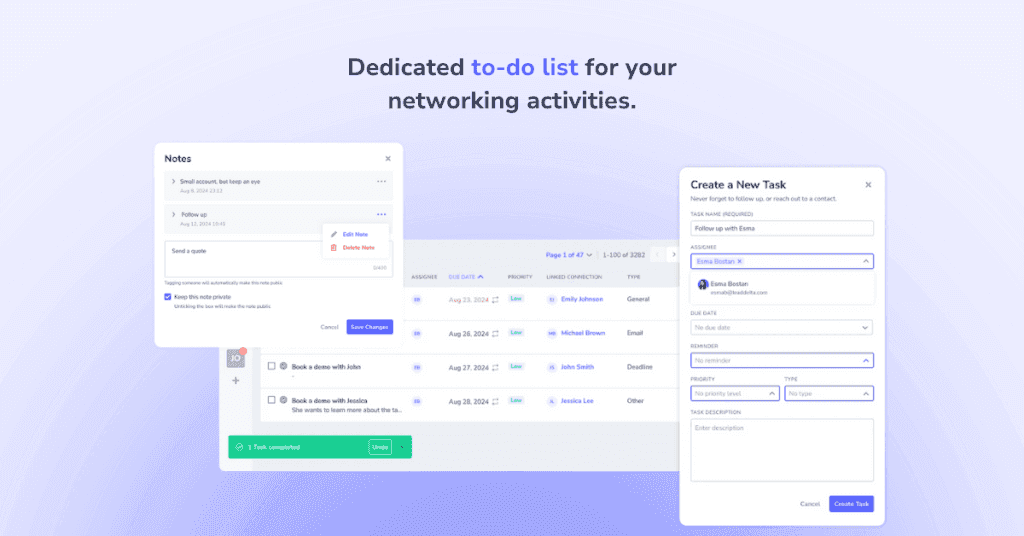
Following up is everything in investor relations. If you don’t track your interactions, you’ll lose opportunities. LeadDelta’s task management feature ensures you never miss a key follow-up.
✅ Set reminders for outreach & check-ins ✅ Track founder meetings & commitments ✅ Stay on top of deal flow
🔹 Example: You just connected with new LPs, and want to reach out again next month. Instead of forgetting, you set a task in LeadDelta, so you get a reminder when it’s time to follow up.
With this feature, your investor tasks stay on track – without spreadsheets or sticky notes.
5. Messaging for Warm Introductions
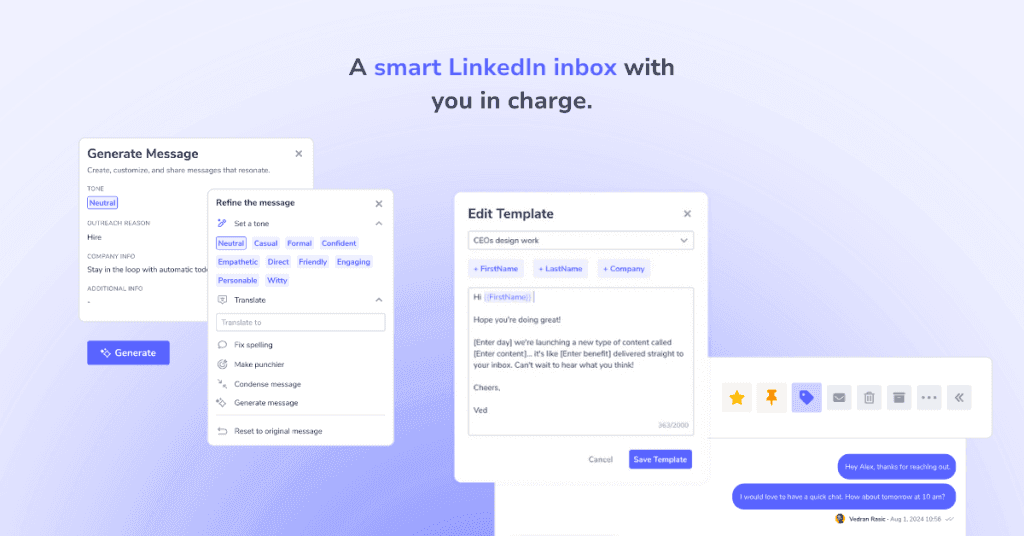
As an investor, you want to help your founders sell, market, and recruit. LeadDelta helps you manage your LinkedIn inbox with better organization and bulk messaging tools.
✅ Bulk message up to 25 people at once (with personalized templates) ✅ See all past interactions in one place (no more lost messages) ✅ Easily follow up on funding conversations
🔹 Example: You want to create several warm introductions for a founder. Instead of messaging each one individually, you use LeadDelta to send a bulk message- while still personalizing each message.
Why LeadDelta Is the Best LinkedIn CRM for Investor Relations
LeadDelta isn’t just a tool – it’s an efficiency upgrade for investor relations. It simplifies LinkedIn networking, making it easier to organize, track, and engage opportunities at scale.
Whether you’re a VC, angel investor, or fundraising professional, LeadDelta gives you the edge to manage investor relationships more effectively.
🔹 Want to take control of your investor network? Try LeadDelta today. 🚀

