
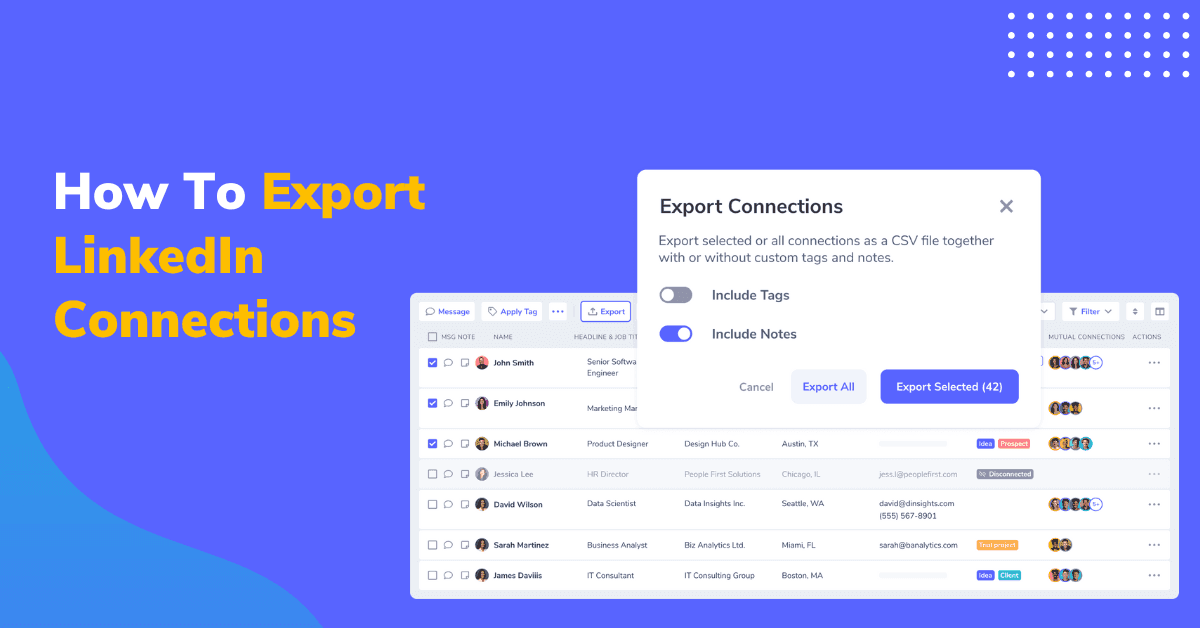
LinkedIn helps you connect with millions of professionals, but what if you need those contacts outside the platform?
Whether for sales, marketing, or recruiting, exporting your LinkedIn connections gives you more control over your network.
It can take up to 48 hours to export contacts from LinkedIn. Downloaded data is limited, and you can’t filter who you want to export.
LeadDelta offers a better way to download your LinkedIn contacts in just a few minutes. Learn how to do it.
Why Export Your LinkedIn Connections?
Relying solely on LinkedIn has limitations, especially when managing outreach and campaigns.
Here’s why exporting your connections matters:
- Higher engagement – LinkedIn messages often get low response rates. External tools improve communication.
- Better tracking – LinkedIn doesn’t offer in-depth tracking for responses or interactions.
- More flexibility – Use connection data across platforms for sales, marketing, and analysis.
- Data security – Keep your network safe from potential LinkedIn breaches.
- Easy integration – Import contacts into CRM and automation tools.
How to Export LinkedIn Contacts Directly from LinkedIn
It’s not easy to export LinkedIn connections directly via LinkedIn, especially since it takes up to 48 hours to receive your export.
If you still choose to do it via LinkedIn, here are the steps:
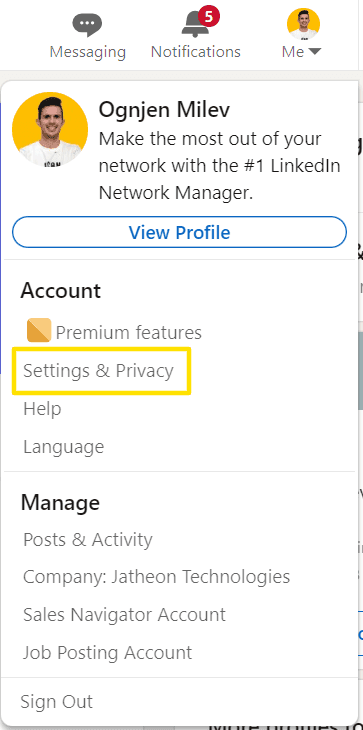
- Click on the “Me” drop-down menu
- Click on “Settings & Privacy”
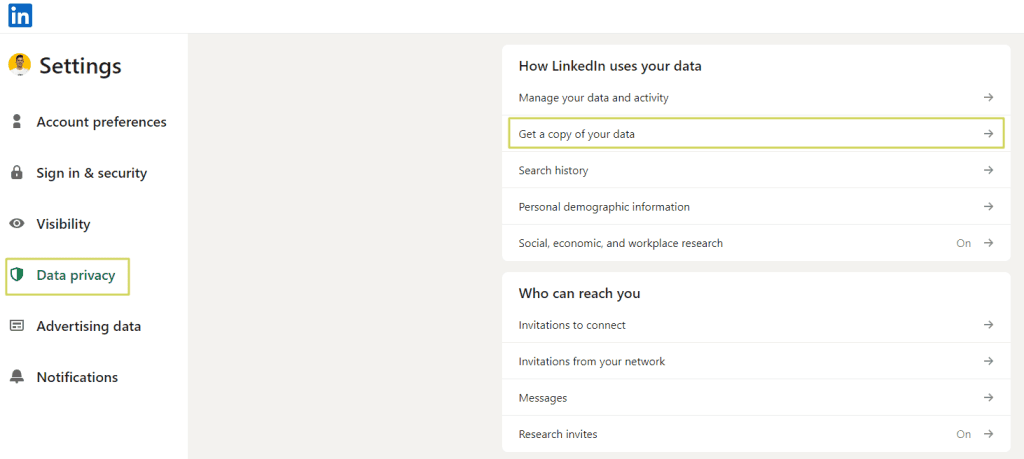
- Select the “Data Privacy” section
- Click on “Get a copy of your data”
- Check the first option.
- Click “Request archive”
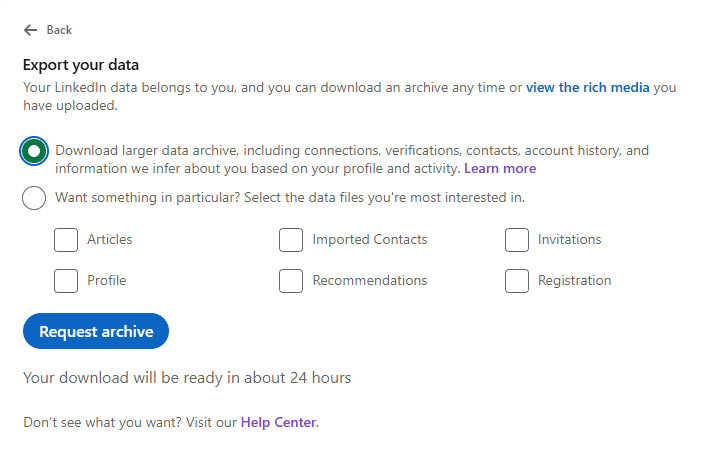
You will then need to wait for an email from LinkedIn containing your data. Even though it’s stated that the download will be ready in about 24 hours, many users complain this time is longer. Inside their help article on this topic, LinkedIn states that it takes 48 hours for connection export to be ready.
Limitations
Quite simply, LinkedIn isn’t the most elegant platform for data exports.
- Waiting for 48 hours for an export is too much.
- The platform lacks filter options and only allows you to download data for all your connections, even if you need information on just a specific group.
- When exporting data, you’re limited to a .CSV file with only five data points, which may not be sufficient for more serious applications.
- Due to LinkedIn’s privacy settings, most email addresses won’t be included in the export, posing a significant challenge for businesses relying on email addresses for sales and marketing campaigns.
With all of these limitations from LinkedIn direct export, there is a better way.
How To Export LinkedIn Contacts With LeadDelta
LeadDelta’s connection export gives you the ability to filter who you want to export, gives you more data, and gives you more ways to manage that data.
It’s simple and takes just a few minutes:
- Open the LeadDelta “Connection” Tab where you can see all of your connections in a table.
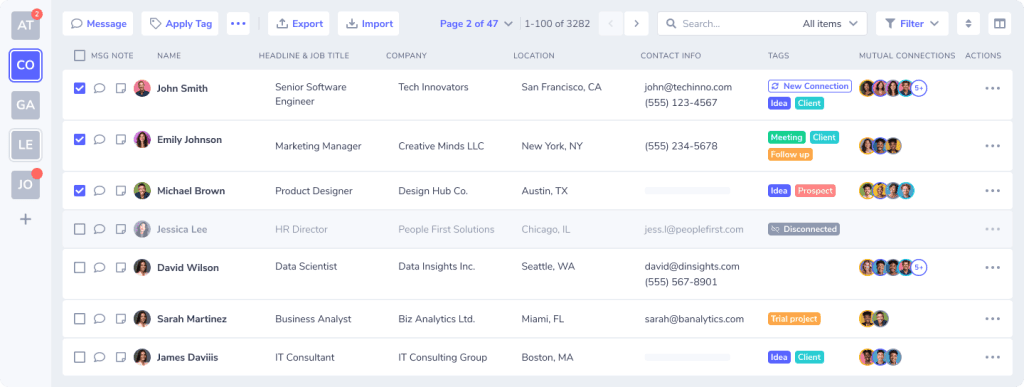
- Filter which connections you want to export with 15+ data points.
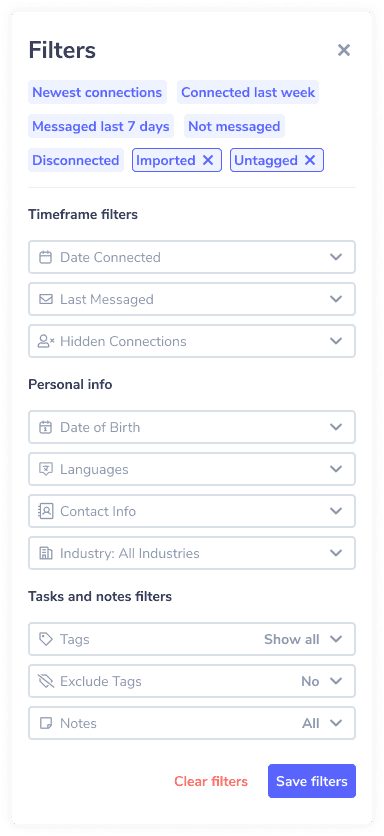
- Select specific connections you want to export or export all connections.
- Click on the export button on the right.

- A popup will appear asking if you want to export your Tags and Notes about connections.
- Click on “Export All” if you want to export your whole network or “Export Selected” if you want to export specific connections you selected.
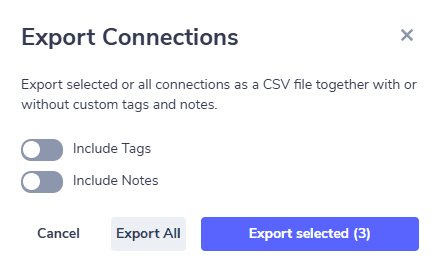
- Wait a few seconds for your .CSV file to download.
And you’re done! You can then proceed to use the extracted data freely.
But what if you want to export data about LinkedIn users you aren’t directly connected to?
How To Export LinkedIn User Data If You Aren’t Connected?
Sometimes our network isn’t enough, especially if we are doing prospecting campaigns or recruiter outreach…
The slow way is sending connection requests and hoping for users to accept them.
Only after they accept us can we use their information.
But there’s a better way.
With the LeadDelta Sidebar, you can import user data into LeadDelta even if you aren’t directly connected.
Simply go onto their profile and click on “Add to LeadDelta” in the Sidebar on the right.
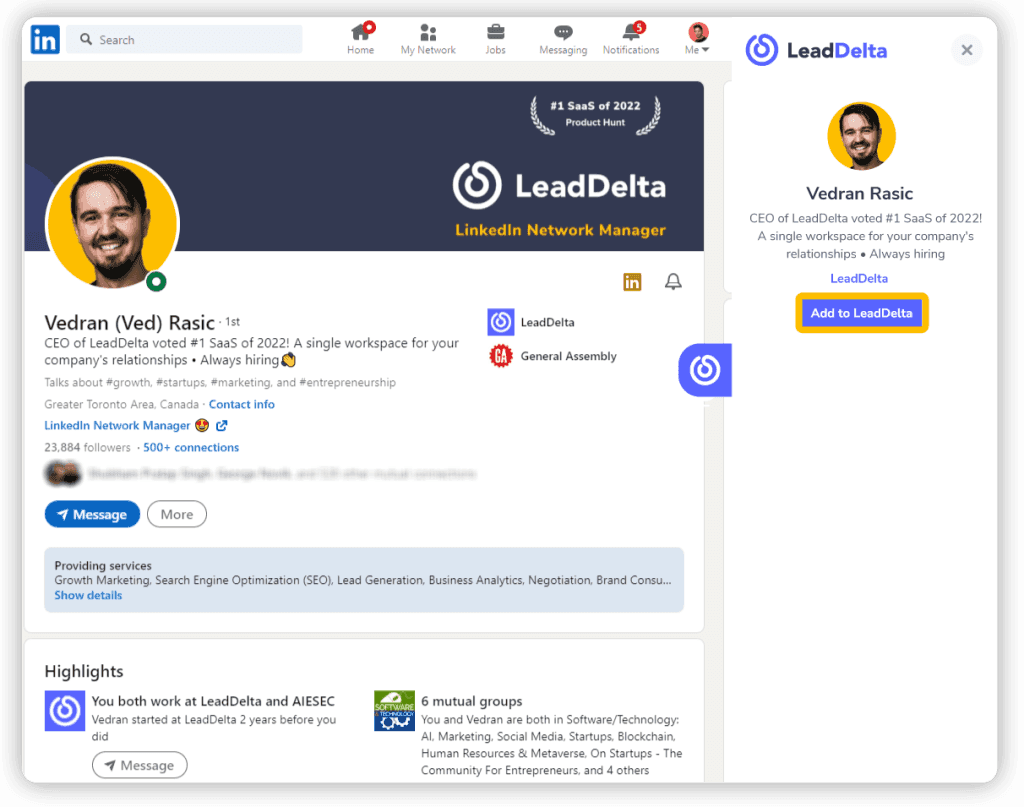
You will gain access to their information and will be able to manage them inside LeadDelta as if they were a regular connection.
Yes, this also means that you can export their information and use it in your campaigns, following the same process we mentioned above.
It’s an easy way to build lists of suitable prospects, candidates, and partners without needing to connect with them.
Conclusion
Exporting your LinkedIn contacts is essential to unlocking the full potential of your network and utilizing it outside LinkedIn.
It’s the best way for you to have full access to your network data.
While LinkedIn gives you the option to export your contacts, it’s slow, lacks advanced options, and limits the data you get.
That’s why using LeadDelta not only lets you get more data, but you can also manage it and use it in sales, recruiting, fundraising…

